
Repricing (Dynamic Pricing) automatically adjusts your product prices to stay competitive, based on rules you set. The Repricing section is where you create and manage your dynamic pricing rules.
Open Repricing
- Log in to Pricefy.
- Click Repricing in the sidebar — it opens your Repricing Rules list.
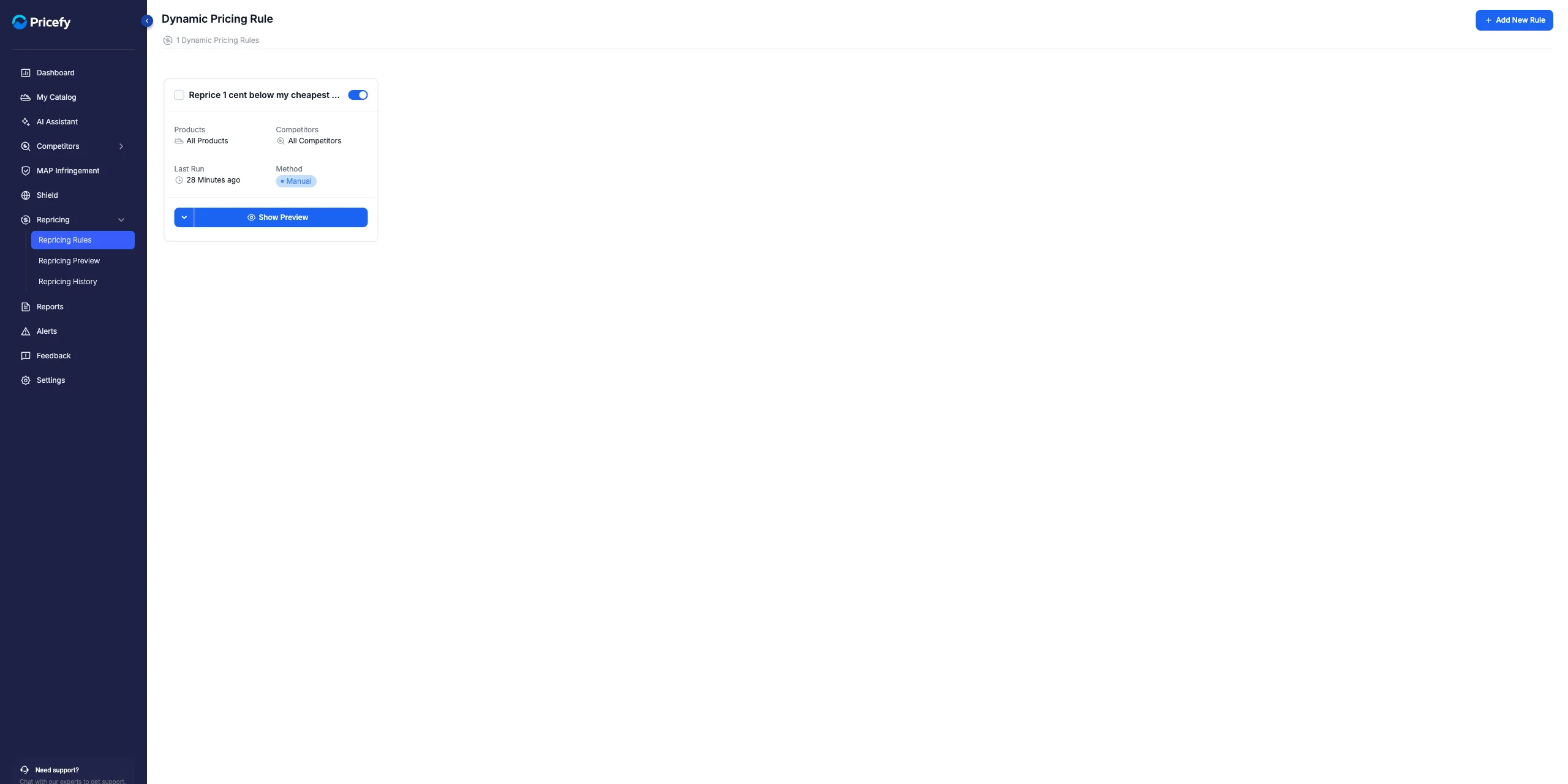
Each rule card
Every rule shows an on/off toggle, its name, and its scope — Products, Competitors, Last Run and Method — plus a main Show Preview button.
Its actions menu adds Run Preview, Reprice Now, View History, Duplicate, Edit and Delete (plus Stop Repricing while a run is active). A standard rule is added automatically with your account.
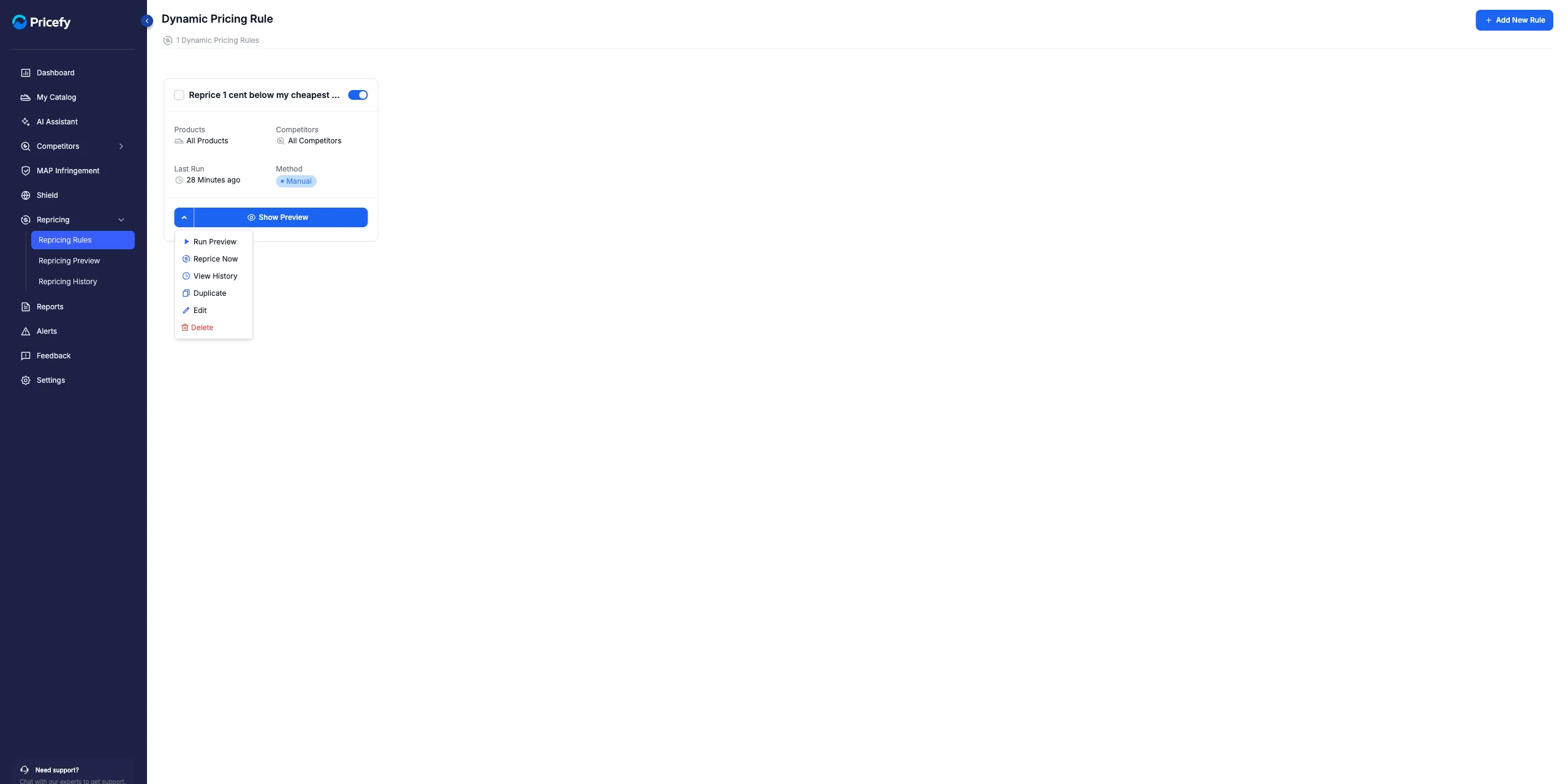
Create, preview and apply
- Create a rule — click Add New Rule to open the 5-step editor (see Dynamic Pricing – How it works).
- Preview — Run Preview simulates the new prices (see Repricing Preview).
- Apply — Reprice Now applies them. Before applying, Pricefy reminds you to verify your competitor prices, set a stop condition, and run a preview.
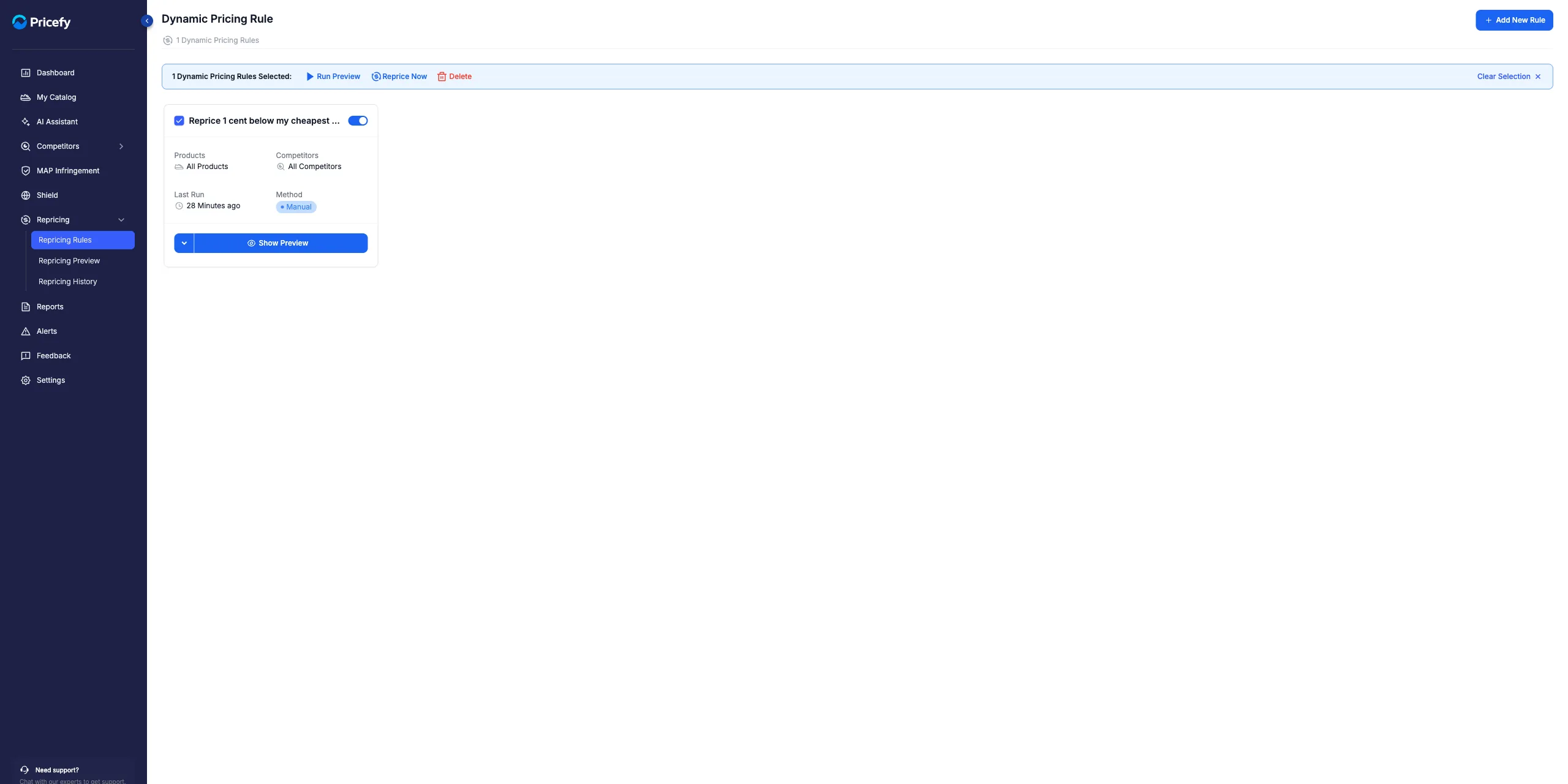
- In bulk — tick several rules to Run Preview, Reprice Now or Delete them together.
Good to know: applying prices requires a Pro plan or higher; fully automatic repricing (Autopilot) requires Business or higher.
