Prefer to watch? This short video walks you through everything in this guide.
Quick auto-match is the fast way to match a competitor’s products to yours: instead of pasting every URL, you let Pricefy’s AI scan the competitor and propose matching products, then you approve the right ones.
Run a quick auto-match
- Go to Competitors → Overview.
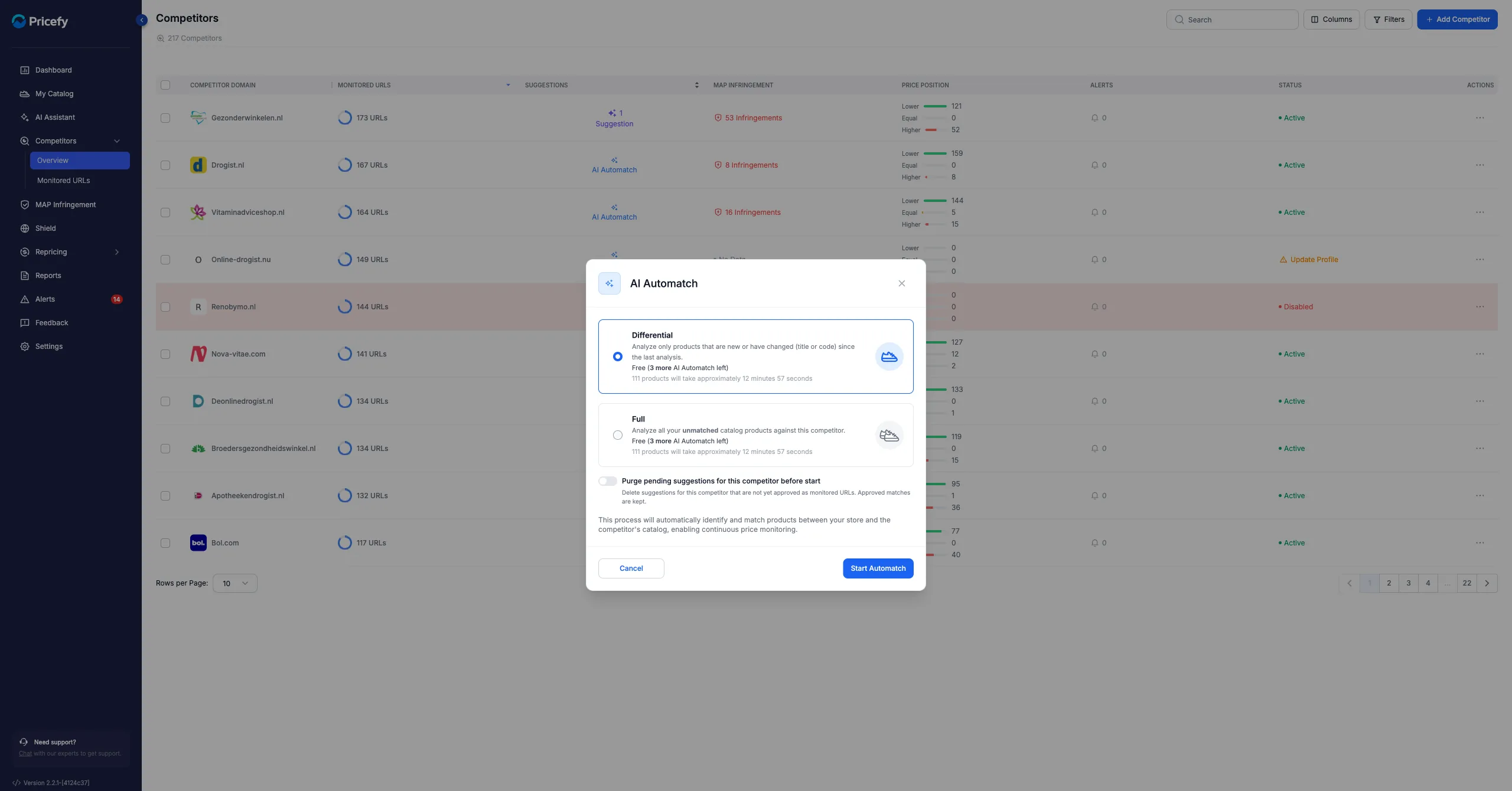
- Click AI Automatch on the competitor you want to scan.
- Choose Google Results as the analysis method — it’s the quick one, and it uses your plan’s free Automatch requests. (Live Scraping analyzes the competitor’s website from its sitemap instead, billed per URL — see how to run a Live Scraping analysis.)
- Pick a scan mode — Differential (free; only products that are new or changed since the last run) or Full (all your unmatched products against this competitor) — and click Start Automatch. If the run isn’t free, the button reads Buy Now & Start Automatch.
Review and approve the suggestions
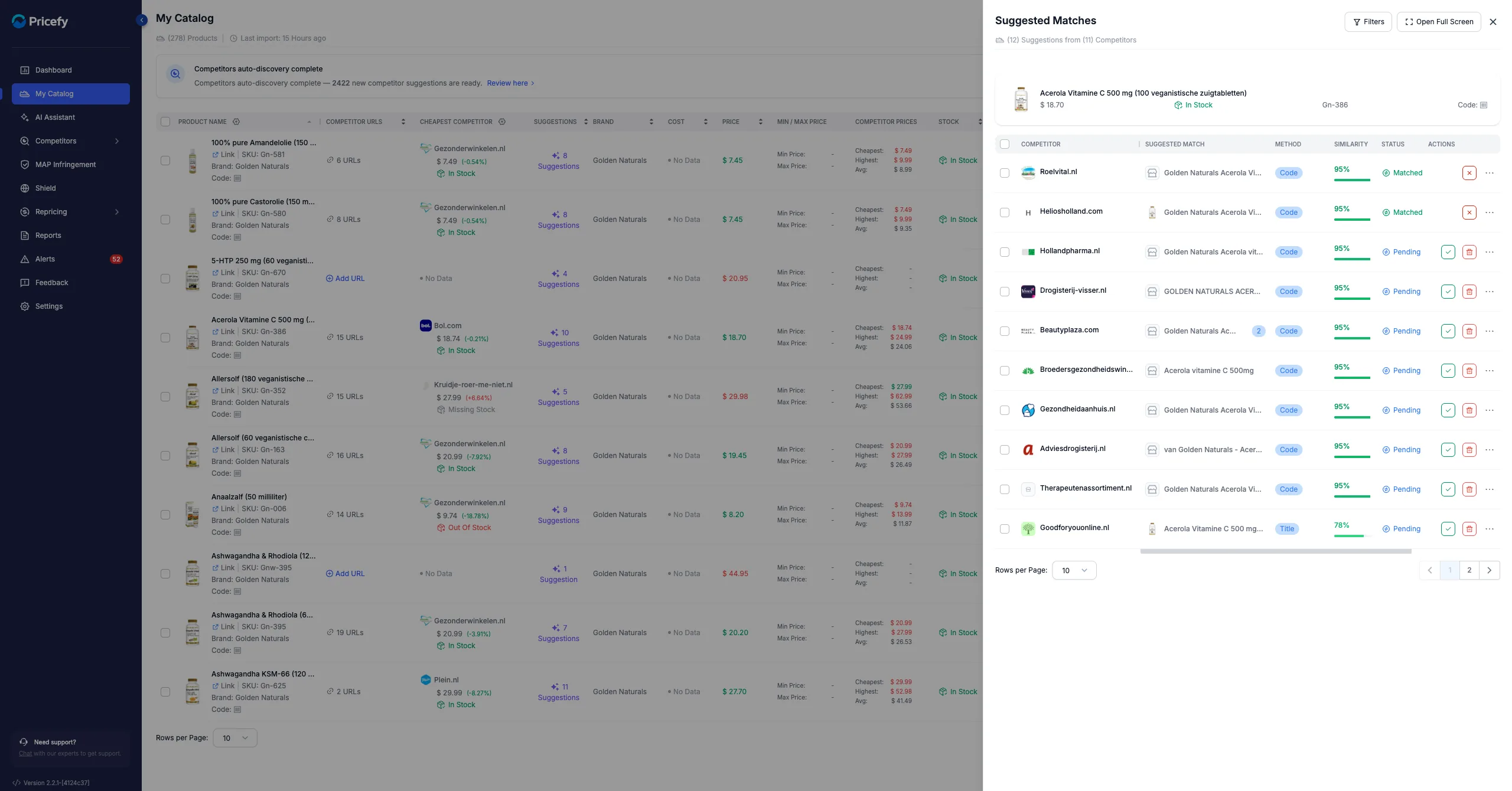
Pricefy compares the competitor’s product names and codes with your catalog and lists Suggested Matches — each with the matched product, the matching Method and a Similarity score. Open them from a product’s Suggestions count in your catalog.
- Approve a correct suggestion — it becomes a monitored URL right away.
- Delete a wrong one — confirm in the dialog to remove it from the list.
Get better suggestions
- Import the Brand field and valid product codes (GTIN/EAN) — they sharpen the matching a lot.
- Don’t auto-match a competitor that sells products unrelated to yours.
Quick auto-match works on one competitor at a time. To understand the wider feature see how the auto-match works, and to discover brand-new competitors use AI Discovery.