You can export a rule’s repricing results to an online file (or have them emailed) for analysis outside Pricefy.
Turn on export for a rule
- Open the rule: Repricing → Repricing Rules → Edit.
- In Step 1 — General Settings, choose a Format: CSV, EXCEL, XML or JSON.
- Under Export, turn on Web File (and copy its URL) and/or Email to receive the file.
- Save the rule.
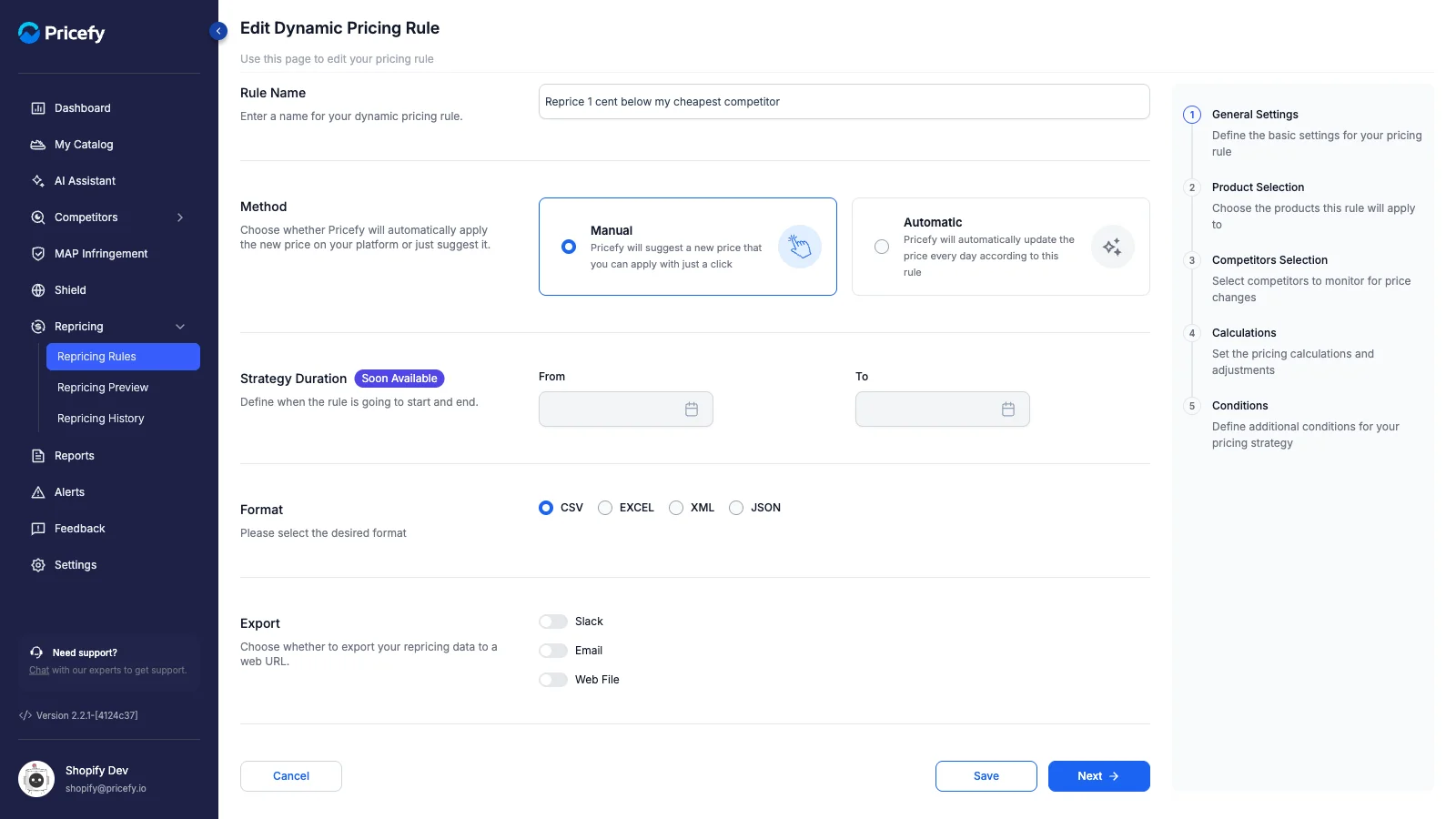
From now on, each time the rule reprices, the results are written to that file/URL automatically — ready for third-party systems or reporting.
Good to know: export requires a Pro plan or higher; if the option is greyed out, you need to upgrade.