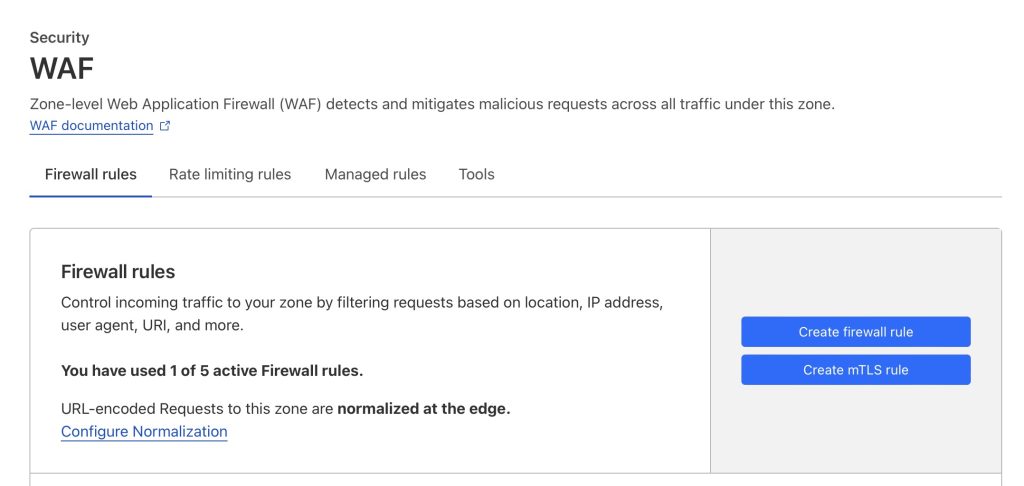
Cloudflare WAF: allow Pricefy API Agents
Pricefy’s API Agents run on AWS Lambda, so outbound IPs are not static. In Cloudflare, the most practical way to let Pricefy through is to create a WAF Custom Rule that matches Pricefy traffic by its User-Agent and then uses the Skip action to bypass the Cloudflare security features that are blocking the calls. (Cloudflare Docs)
User-Agent: Mozilla/5.0 (X11; Linux x86_64) AppleWebKit/537.36 (KHTML, like Gecko) Chrome/144.0.0.0 Safari/537.36 Pricefy/1.0 Zikkio/1.0
Contains Pricefy and Zikkio
What is Zikkio exactly and how is related to Pricefy?
1) Confirm Cloudflare is actually blocking the call
Typical symptoms
- Pricefy shows a “Platform Connection Error”
- Cloudflare returns 403 or Error 1020 (Access denied)
Cloudflare explains Error 1020 means the request was denied by a Cloudflare firewall rule. (Cloudflare Docs)
Find the blocking rule / feature
- In Cloudflare, open your site (zone).
- Go to Security → Events and locate the blocked request (use the timestamp / Ray ID if available).
- Note what Cloudflare says triggered the action (examples):
- WAF Managed Rules
- Rate limiting
- Super Bot Fight Mode
- (Less commonly) other zone security settings
This matters because your Skip rule should bypass the specific feature(s) that are firing.
2) Create the WAF Custom Rule (Skip rule) for Pricefy bots
Cloudflare Custom Rules allow actions like Block/Challenge, and also the Skip action (a “skip rule”) to skip one or more Cloudflare security features. (Cloudflare Docs)
Where to create it
Cloudflare dashboard → Security rules → Create rule → Custom rules (or the equivalent “WAF → Custom rules” path depending on UI). (Cloudflare Docs)
Recommended rule expression (safe + scoped)
A) Match Pricefy bots by User-Agent
Cloudflare exposes the request UA as http.user_agent. (Cloudflare Docs)
Use contains condition:
(http.user_agent contains "Zikkio") or (http.user_agent contains "Pricefy")B) Scope the bypass to your API endpoints (strongly recommended)
Don’t bypass security for your entire site. Limit it to the API routes Pricefy must call.
Example (edit paths to match what you see in Security Events):
((http.user_agent contains "Zikkio") or (http.user_agent contains "Pricefy"))
and
(
  starts_with(http.request.uri.path, "/api/")
  or starts_with(http.request.uri.path, "/rest/")
  or starts_with(http.request.uri.path, "/graphql")
)
Use the actual blocked endpoint path(s) from Security Events as your source of truth.
Action: Skip (select the right skip options)
Choose Skip, then pick the phases that correspond to what was blocking you.
Cloudflare’s “Skip phases” dashboard options include: All managed rules, All rate limiting rules, and All Super Bot Fight Mode rules. (Cloudflare Docs)
Cloudflare also explicitly recommends using Skip to configure exceptions for Super Bot Fight Mode. (Cloudflare Docs)
Typical selection for API connectivity issues:
- ✅ All managed rules (WAF Managed Rules)
- ✅ All rate limiting rules
- ✅ All Super Bot Fight Mode rules (if enabled)
Save the rule.
3) Put the rule at the top (order matters)
Custom rules are evaluated in order, and terminating actions like Block stop evaluation—so your Pricefy “Skip” rule should be above any stricter WAF rules that might otherwise match first. (Cloudflare Docs)
4) Important note if you use “Bot Fight Mode” (classic)
Cloudflare states you cannot bypass or skip Bot Fight Mode (classic) using the Skip action; only Super Bot Fight Mode is implemented in the Ruleset Engine in a way that supports skip exceptions. (Cloudflare Docs)
If Security Events show Bot Fight Mode is causing the problem, your options are:
- disable Bot Fight Mode for the zone, or
- move to Super Bot Fight Mode and use the Skip rule approach above. (Cloudflare Docs)
5) Test and verify
- Retry the connection / API call in Pricefy or use test curl:
curl -X GET 'https://store.com/wp-json/wc/v1/' -A 'Mozilla/5.0 (X11; Linux x86_64) AppleWebKit/537.36 (KHTML, like Gecko) Chrome/144.0.0.0 Safari/537.36 Pricefy/1.0 Zikkio/1.0' - Go back to Security → Events and confirm the request is no longer blocked/challenged.
- If it’s still blocked, check the event again and adjust:
- your path scope
- your skip phases
- or whether a different Cloudflare feature is responsible
Is your store behind AWS WAF instead? See Platform Connection Error Due To AWS WAF Firewall.