The Discovery & Automatch tab controls how Pricefy finds competitors for your products and how it matches your products to competitor pages.
Open Discovery & Automatch settings
Click Settings in the sidebar, then the Discovery & Automatch tab.
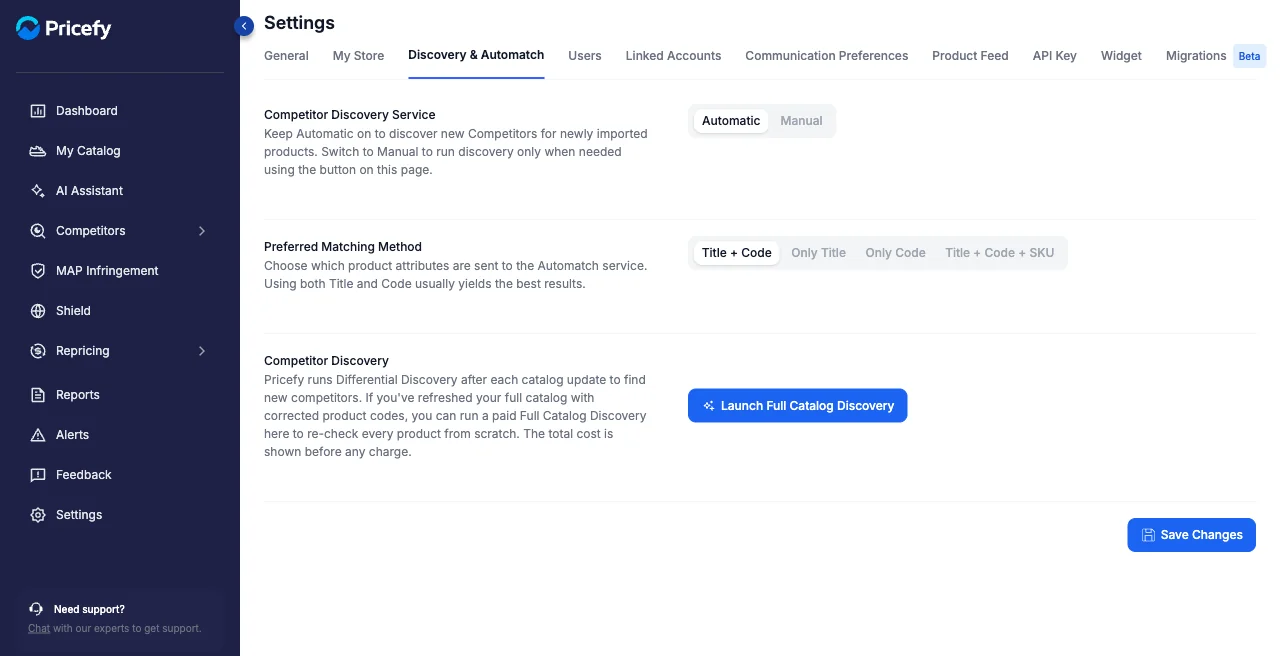
Competitor Discovery Service
- Automatic — Pricefy discovers new competitors for newly imported products on its own.
- Manual — discovery runs only when you trigger it.
Automatic finds competitors — you still approve the matches. Automatic discovery brings in new competitors and match suggestions, but they don’t start being tracked on their own: you approve them. To confirm many at once, use Massive Products Matches Approval — select your products in My Catalog, filter by similarity or domain, and approve in bulk.
Preferred Matching Method
Choose which product attributes are sent to the Automatch service — using both Title and Code usually gives the best results:
- Title + Code — sends both the product title and code (the default, and usually the best results).
- Only Title — matches on the product title alone.
- Only Code — matches on the product code alone.
- Title + Code + SKU — also includes the SKU. This is an Enterprise-plan option; on other plans, selecting it prompts you to upgrade.
Full Catalog Discovery
Pricefy runs differential discovery after each catalog update. To re-check every product from scratch, click Launch Full Catalog Discovery — it’s a paid action and the total cost is shown before any charge. To learn how matching works, see How the auto-match works and Find competitors with AI Discovery.