Pricefy report templates are 40 ready-made reports with their filters already set: pick one, adjust the products and competitors, and Pricefy emails you the results on a schedule. This guide lists every template, what it shows and which ones have extra settings.
To create a report from a template step by step, see how to create a report.
Find a report template
Go to Reports → Create Report. Open a group, or type in Search reports to find templates across all groups — here, every template about stock:
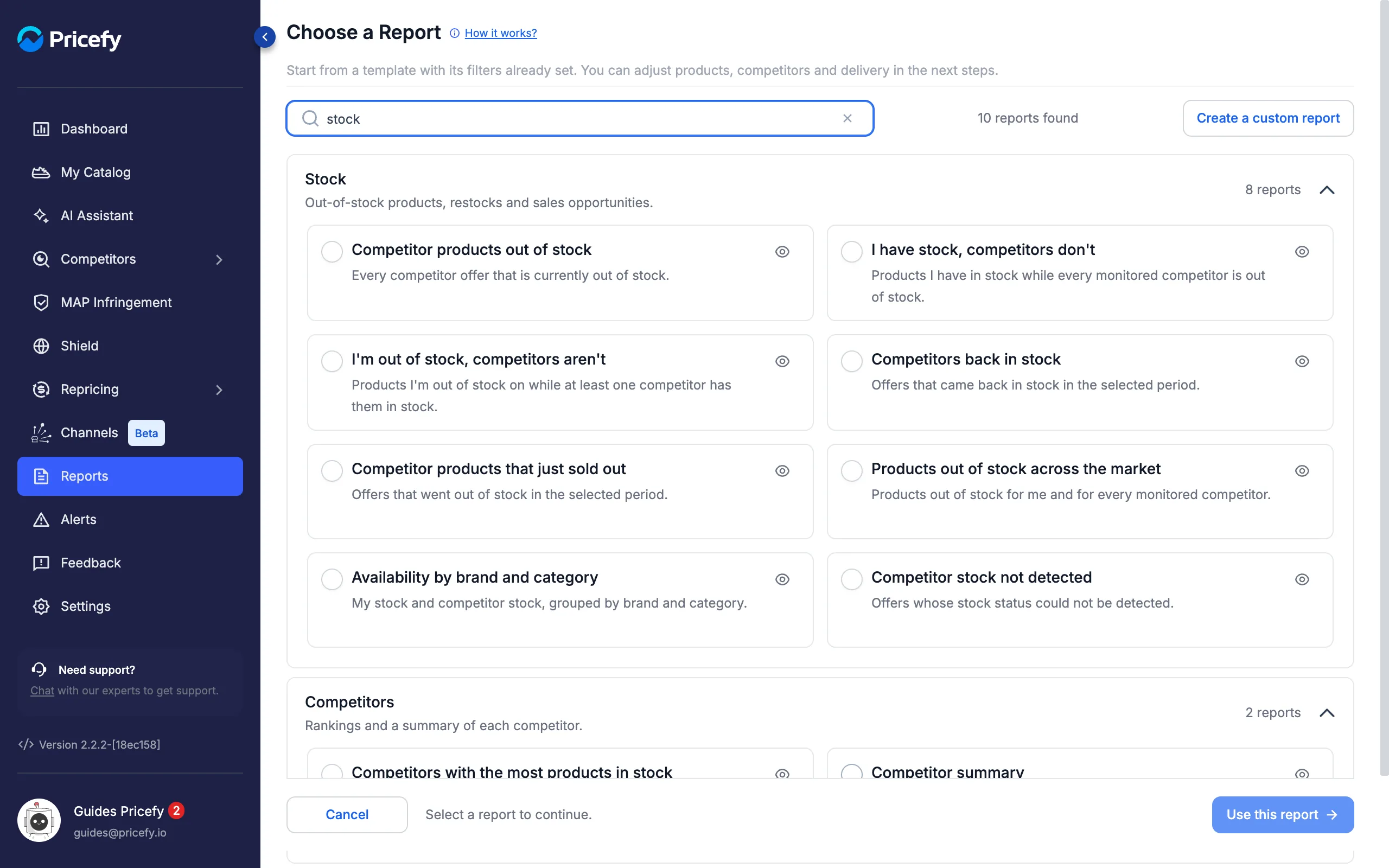
Click the eye icon on any template to preview its email with sample data. Brand accounts see Resellers instead of Competitors in the names below.
Pricing templates
Cheaper competitors, price gaps and price changes:
- Competitors cheaper than me — products where at least one competitor has a lower price than yours.
- Products where I have the lowest price — products priced below every monitored competitor.
- Same price as competitors — matches where your price equals the competitor’s.
- Largest price gaps — products with the widest gap to the cheapest competitor.
- Competitor price drops — price decreases detected in the selected period.
- Competitor price increases — price increases detected in the selected period.
- Competitor products at a reduced price — current prices below the price recorded before the first change in the period. Promotions announced on the website are not detected.
- Price comparison by brand and category — your prices and competitor prices, grouped by brand and category.
Stock templates
Out-of-stock products, restocks and sales opportunities:
- Competitor products out of stock — every competitor offer currently out of stock.
- I have stock, competitors don’t — products you have in stock while every monitored competitor is out of stock.
- I’m out of stock, competitors aren’t — products you’re out of stock on while at least one competitor has them.
- Competitors back in stock — offers that came back in stock in the selected period.
- Competitor products that just sold out — offers that went out of stock in the selected period.
- Products out of stock across the market — out of stock for you and for every monitored competitor.
- Availability by brand and category — your stock and competitor stock, grouped by brand and category.
- Competitor stock not detected — offers whose stock status could not be detected.
Catalog templates
Matches, suggestions and assortment coverage:
- My products without matches — catalog products not matched to any active competitor.
- Suggested matches to review — competitor matches suggested for your products and still waiting for a review.
- Competitor products I don’t sell — monitored offers whose SKU is no longer in your catalog.
- Newly monitored competitor products — offers added to monitoring in the selected period.
- Assortment comparison by brand and category — how many of your products are matched, grouped by brand and category.
- Product variants compared — competitor offers with variant data, such as sizes and colors.
Competitors templates
Rankings and a summary of each competitor:
- Competitors ranked by price — for each competitor, the share of shared products where it is cheaper than you.
- Competitors with the most products in common — how many of your products each competitor also sells.
- Competitors with the most products in stock — how many shared products each competitor has in stock.
- Competitors with the most reduced prices — how many products each competitor reduced in price in the selected period.
- Who changes prices most often — how many price changes were detected for each competitor in the selected period.
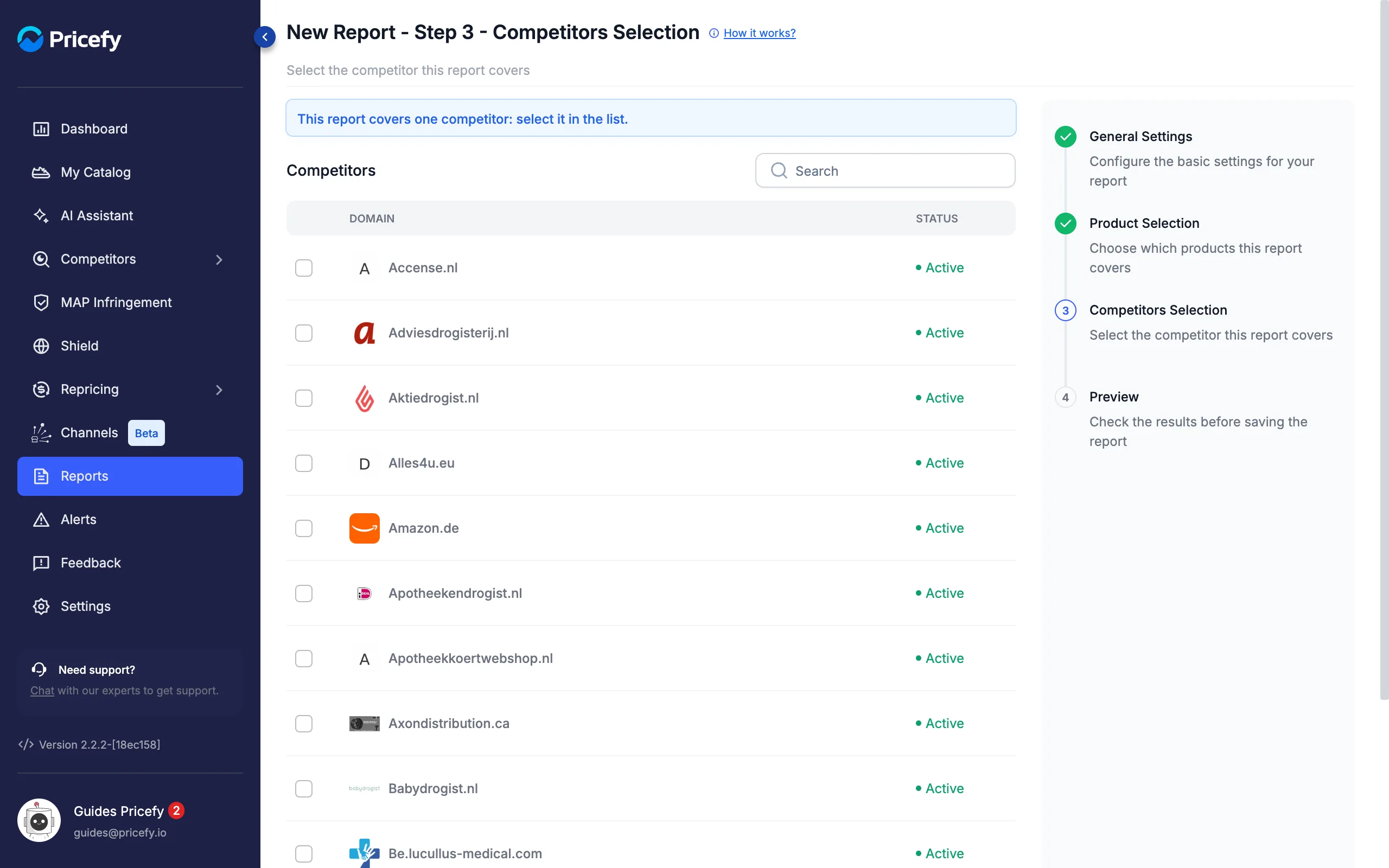
- Competitor summary — every offer of one competitor, with prices and stock.
MAP templates
Minimum Advertised Price violations:
- Active MAP violations — offers currently priced below your MAP.
- New MAP violations — offers that dropped below your MAP in the selected period.
- Resolved MAP violations — offers that went back to your MAP or above it in the selected period.
- Competitors with the most MAP violations — products and offers below your MAP, for each competitor.
- Largest MAP gaps — offers furthest below your MAP, by percentage.
- Products without a MAP — catalog products with no MAP set.
For more on these, see how to schedule MAP violation reports.
Data quality templates
Pages, prices and data that need attention:
- Competitor pages no longer available — monitored pages that returned a “page not found” error.
- Competitor prices not detected — offers without a current price that can be read.
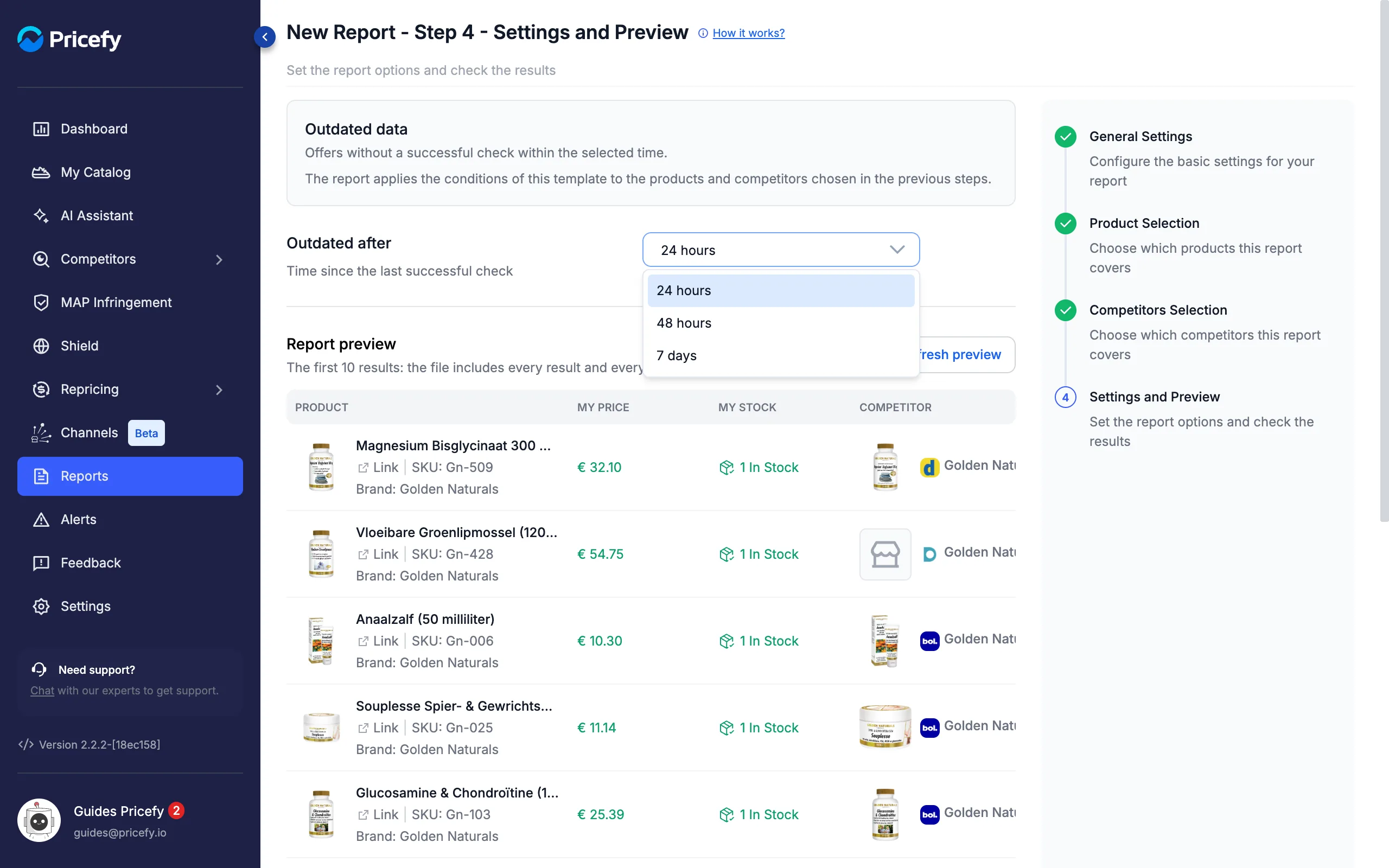
- Outdated data — offers without a successful check within the selected time.
- Prices in a different currency — offers priced in a currency other than your store’s.
- Products without a GTIN or EAN — catalog products with no GTIN, EAN or UPC code.
- Duplicate competitor URLs — the same competitor page matched to more than one of your products.
Report templates with extra settings
Most templates only need products and competitors. A few add one more choice:
- Period — every template that says in the selected period (price drops and increases, reduced prices, back in stock, just sold out, newly monitored, most reduced prices, who changes prices most often, new and resolved MAP violations). Choose Last 24 hours, Last 7 days or Last 30 days, counted back from each run.
- Outdated after — only Outdated data: choose 24 hours, 48 hours or 7 days since the last successful check.
- One competitor — only Competitor summary: select exactly one competitor in the Competitors Selection step.
Period and Outdated after appear in the last step, renamed Settings and Preview. Here is Outdated data with its options open:
And here is Competitor summary, which asks for a single competitor:
Templates based on a period rely on the changes Pricefy records over time, so the first reports may cover a shorter history.
Good to know
- Need a different export? Choose Create a custom report in the gallery — see how to create a report.
- After saving, run, pause, edit or delete your reports from the Reports page — see Reports: manage your scheduled exports.