Short answer
Yes. In Pricefy you can match several competitor URLs to the same product (SKU) — one for each competitor page you want to track — and Pricefy monitors them all together.
How it works
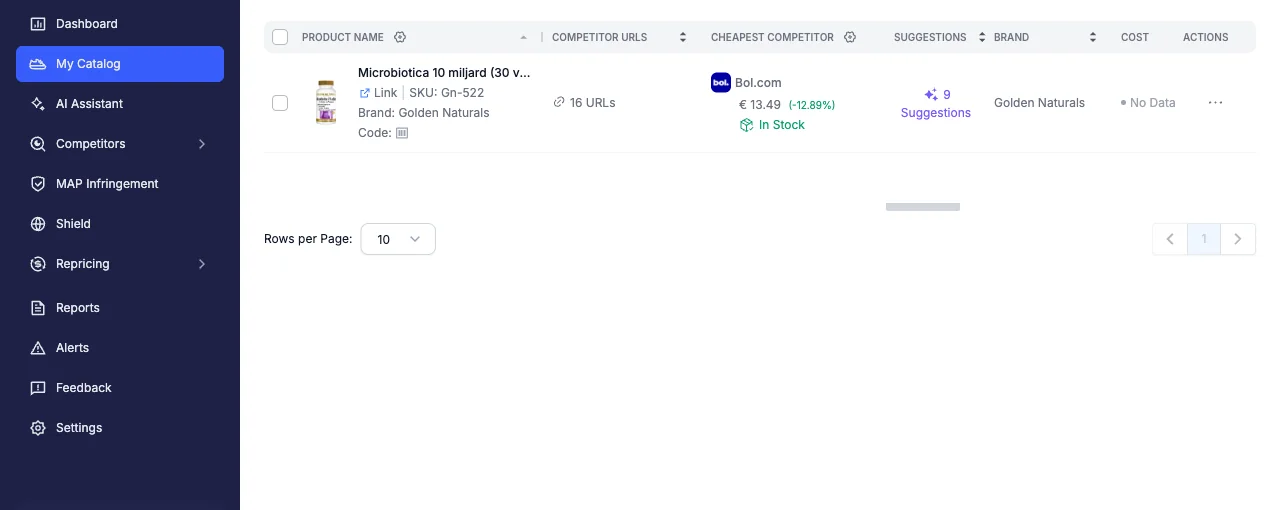
Each SKU in your catalog can be linked to many competitor product-page URLs. Pricefy checks every linked URL on its monitoring schedule and uses them to:
- track each competitor’s price and stock for that product
- show the cheapest competitor and your price position at a glance
- feed competitor-based repricing and alert rules
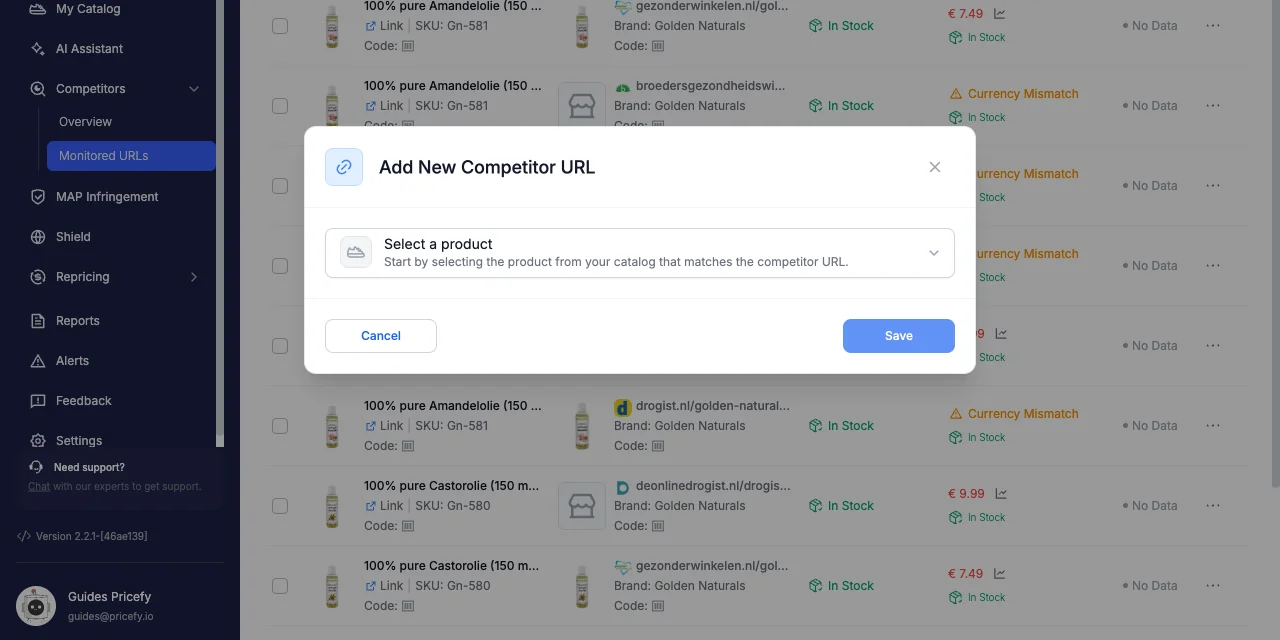
Add another competitor URL to a SKU
- Open Competitors → Monitored URLs.
- Click Add URL.
- Under Select a product, choose the SKU you want to track — a SKU you’ve already matched is fine.
- Paste the competitor’s product-page URL.
- Click Save.
Repeat for each extra competitor page you want to monitor for that SKU.
Fine-tune each URL
Every monitored URL is independent, so you can tailor it from its row’s Actions menu:
- Set Price Adjustment — apply a per-URL adjuster (for example to add shipping or a margin) so the comparison reflects the real landed price.
- Preferred Variant — when the competitor page has variants, pick the one that matches your SKU.
- Enable / Disable or Delete — pause or remove a single URL without affecting the others.
Good to know
- Your plan’s overall Monitored URLs limit still applies across all your products.
- Use each competitor’s main product page, matching the same variant/size and your region’s currency.
- If a competitor URL changes or redirects, update that single URL — the others keep working.
Related: Monitored URLs and Competitors Overview.