Some competitors may block automated access from Pricefy’s cloud infrastructure or may show different prices depending on the visitor’s country, location, or browser environment.
In these cases, the Pricefy Chrome Extension can help by bringing your own computer and browser into the process. Click here to open the Chrome Extension
This is useful when a competitor website is accessible from your device, but cannot be reached or correctly scanned by Pricefy’s standard cloud-based extraction system.
You decide how much help the extension gives, competitor by competitor: it can extract the prices from your browser for you, or simply share your browsing session and let Pricefy do the extraction. The lighter option is covered in Choose a mode for each competitor.
When Should You Use the Chrome Extension?
You should consider using the Pricefy Chrome Extension when:
- A competitor website blocks Pricefy’s automated extraction system.
- A competitor shows different prices depending on the visitor’s location.
- A competitor is geo-fenced and only accessible from your country or region.
- A competitor website works correctly on your computer but returns errors inside Pricefy.
- Pricefy is unable to extract prices because the competitor restricts external traffic.
How It Works
The Chrome Extension acts as a bridge between your browser and your Pricefy account.
Some competitors accept a visit from your own computer while refusing, or misreading, one from Pricefy’s cloud. The extension bridges that gap by working inside the browser where you are already an ordinary visitor.
It can do that in two ways, and you pick one per competitor:
- Full — the extension opens that competitor’s product pages in your browser and sends the page content to Pricefy, which reads the prices from it. Your computer does the browsing.
- Lite — the extension only refreshes your browsing session for that site and sends no page content. Pricefy keeps reading the prices from its own servers, reusing your session so the site sees a normal local visitor.
Either way, the prices end up in Pricefy for monitoring, matching, and reporting.
Step-by-Step Setup
1. Install the Pricefy Chrome Extension
Install the Pricefy Chrome Extension on the computer you want to use for competitor monitoring.
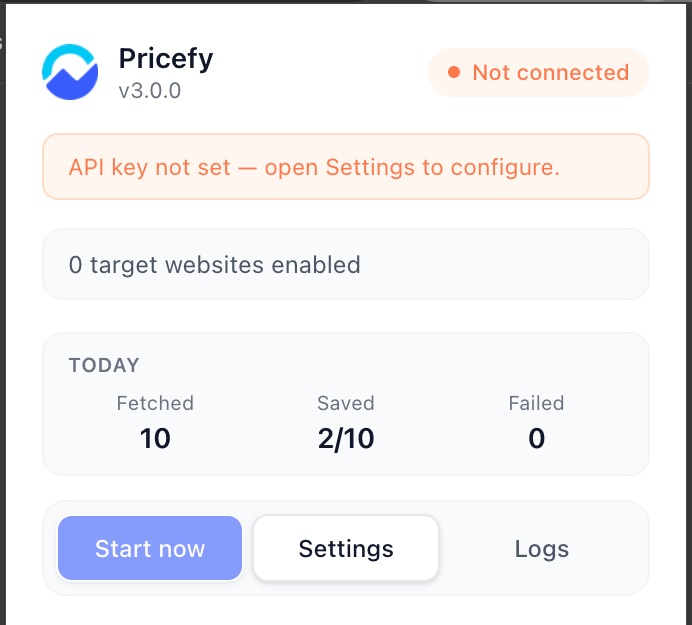
For best results, use a computer and internet connection from the same country or region where you want to monitor competitor prices.
2. Log In to Your Pricefy Account
Open Pricefy and log in to your account.
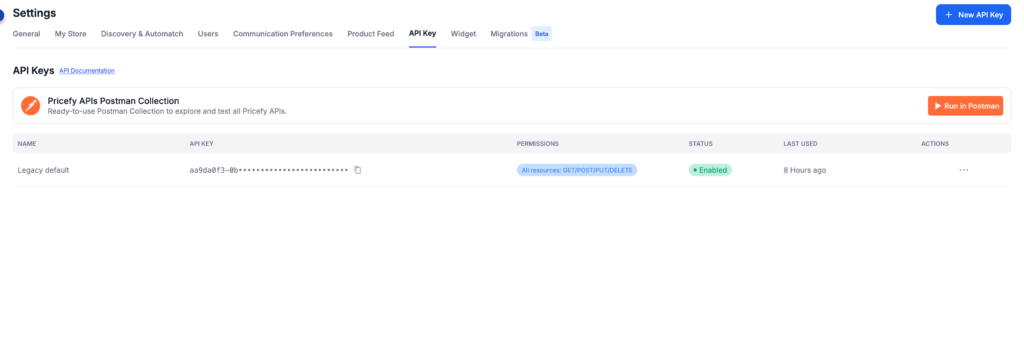
Go to Settings → API Key (available to the account owner / master user), create an API key, and copy it. The Chrome App’s permissions are pre-selected for you, so you don’t need to change them.
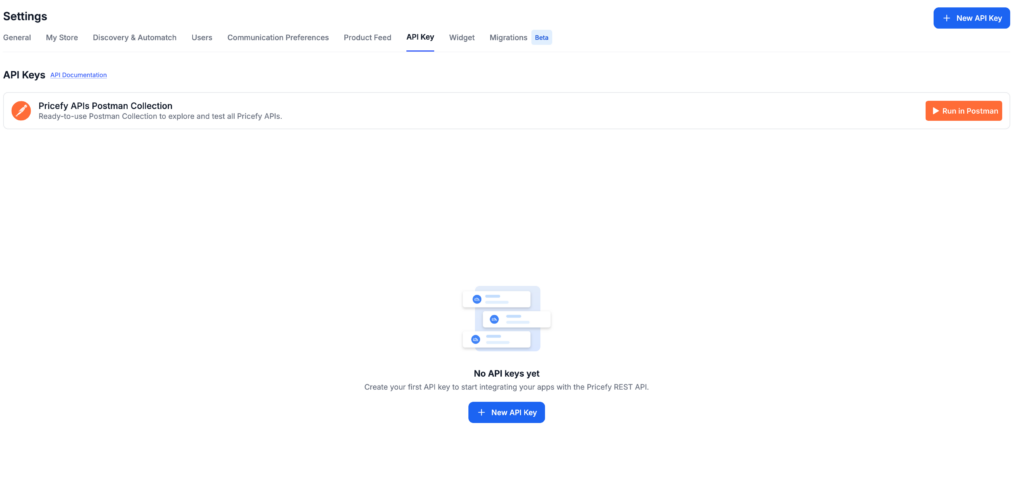
The API Key panel shows the methods the Chrome App needs, already selected.
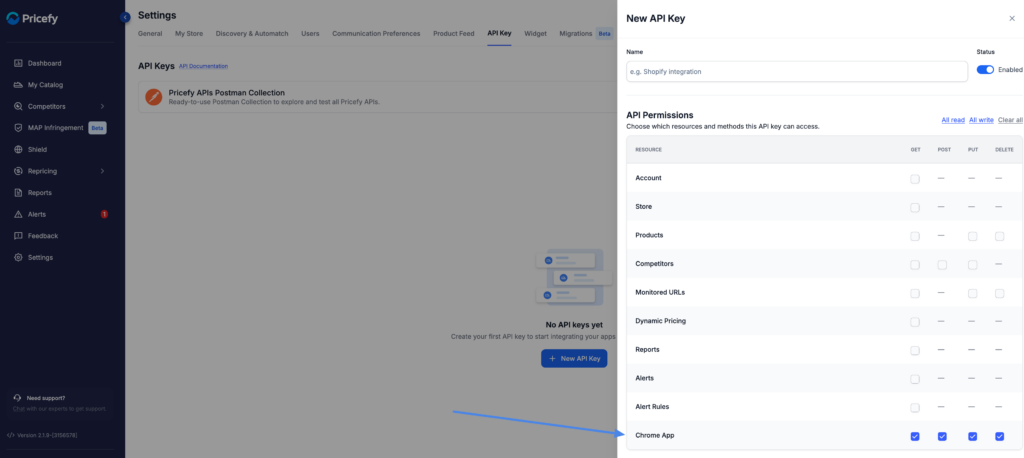
After you save it, the new key appears in the API Keys list. Use the copy icon next to it to copy the key — you will paste it into the extension in the next step.
3. Set your API key inside the Chrome Extension
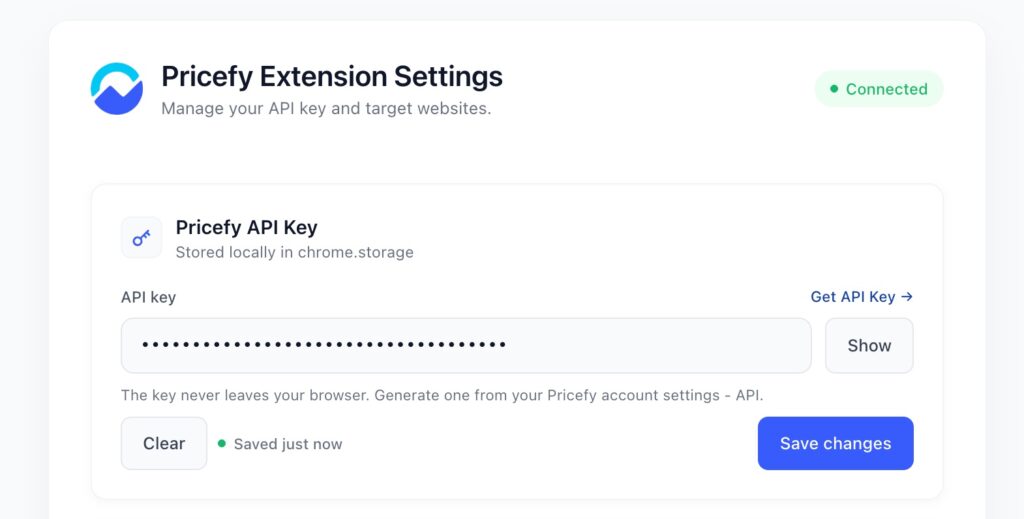
Open your Pricefy Chrome Extension and paste the API key you generated before
4. Choose a mode for each competitor
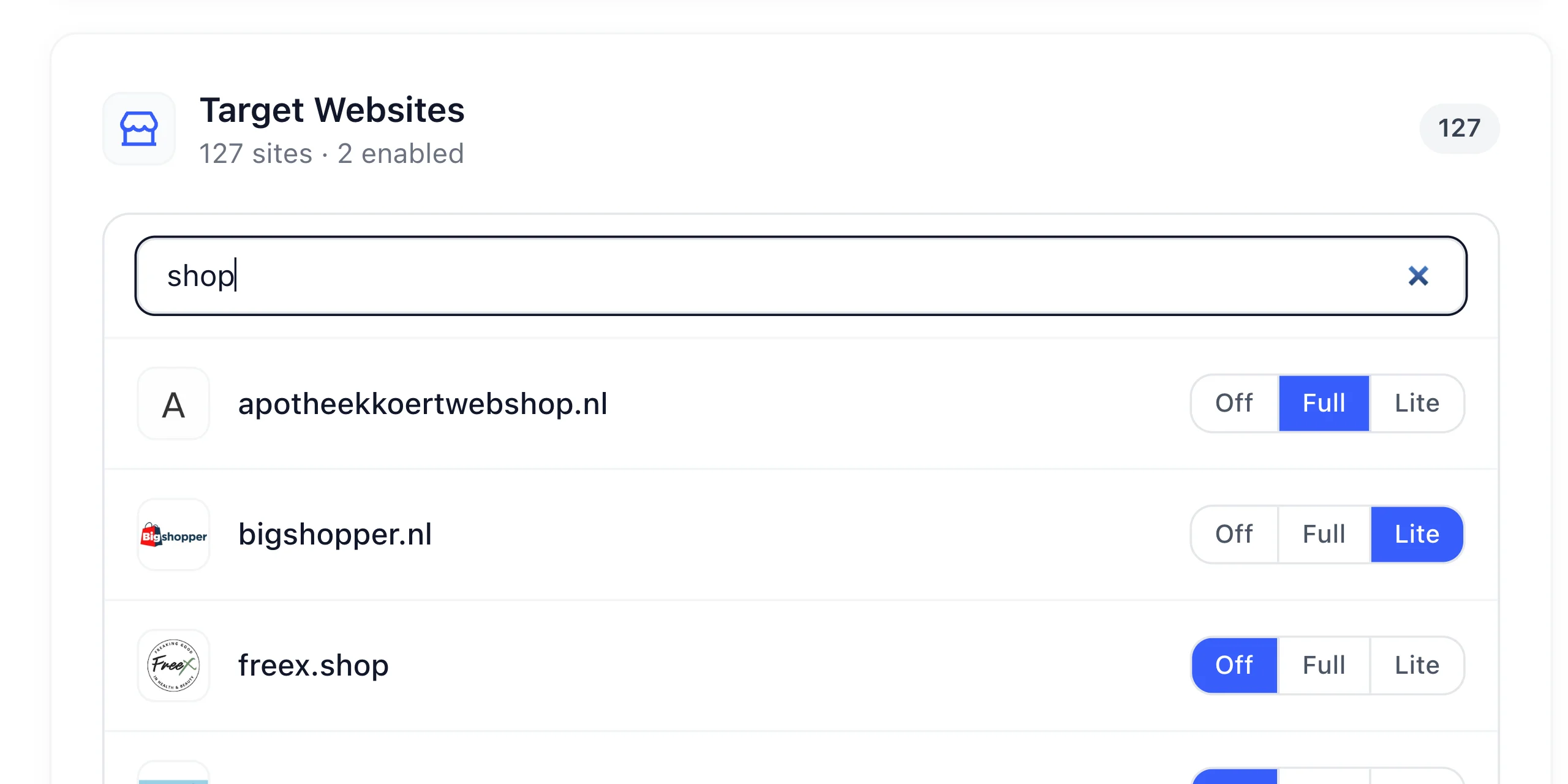
The Target Websites list shows every competitor on your account. Use the search box to find one, then pick its mode on the right:
- Off — the extension ignores this competitor. Pricefy keeps monitoring it from the cloud, exactly as before. This is the default.
- Full — your browser opens that competitor’s monitored product pages and sends the page content to Pricefy. Choose it when Pricefy cannot load the pages at all.
- Lite — your browser opens a single page for that competitor, roughly once an hour, only to refresh your session. No page content is sent. Choose it when the site simply needs to see a real, local visitor.
In the list below, one competitor is set to Full, one to Lite, and the rest are left Off. The counter at the top keeps track of how many are enabled.
Full or Lite: which one to pick
Lite is the lighter choice and the one to try first: it costs your computer almost nothing, so you can leave it on for more competitors. Move to Full only when Lite is not enough — when the competitor’s pages cannot be read from Pricefy’s side at all.
| Mode | Off | Full | Lite |
|---|---|---|---|
| Pages opened in your browser | — | Every monitored product page | One page per competitor, about once an hour |
| Page content sent to Pricefy | — | ✓ | — |
| Prices are read by | Pricefy, from the cloud | Pricefy, from the page your browser sent | Pricefy, from the cloud, using your session |
| Load on your computer and connection | — | High | Low |
| Pick it when | Pricefy already monitors the competitor correctly | The competitor’s pages cannot be read from Pricefy’s side at all | The competitor just needs to see a real, local visitor |
Keep Full for the 2–3 competitors that really need it: every page it opens uses your computer’s resources and bandwidth. Lite is far lighter, but there is no reason to enable either one for a competitor Pricefy already monitors correctly.
5. Start the process
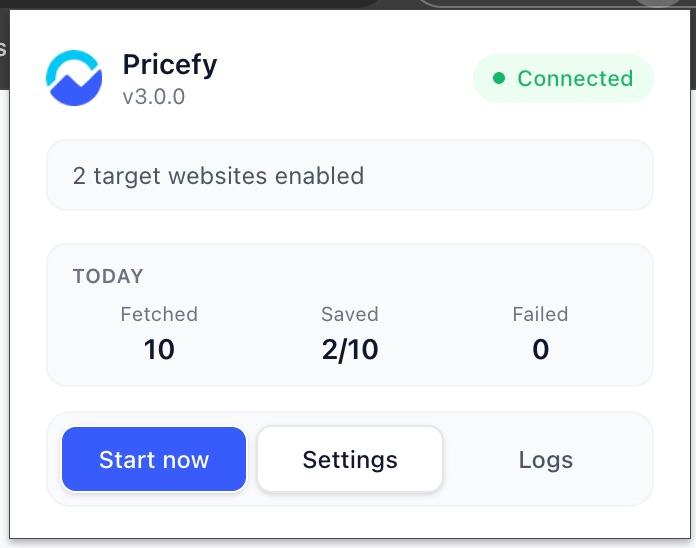
Once your competitors are set, open the extension and click Start now. It then keeps running on its own, about once an hour.
6. Done
Your competitors are now covered with your browser’s help, and the results flow back into Pricefy. This gives you more reliable data and gets you past blocks that stop the cloud on its own.
Best Practices
To improve extraction accuracy, we recommend the following:
- Use a stable internet connection.
- Use the correct country or region for the competitor you want to monitor.
- Make sure the competitor product page is publicly accessible from your browser.
- Close unnecessary popups before running the extraction.
- Avoid using browser extensions that may block scripts or page content.
- Do not run the extraction from a browser session where the competitor page is broken or incomplete.
- For Lite, check that you can browse the competitor’s site normally in that same browser: the session it shares is the one you would use yourself.