Prefer to watch? This short video walks you through everything in this guide.
AI Discovery uses AI to scan the web and automatically find the competitors (or resellers, depending on your account) that sell products similar to yours. Pricefy surfaces them as suggestions ready to approve for ongoing price monitoring — and after the first run it keeps working on its own.
Start AI Discovery
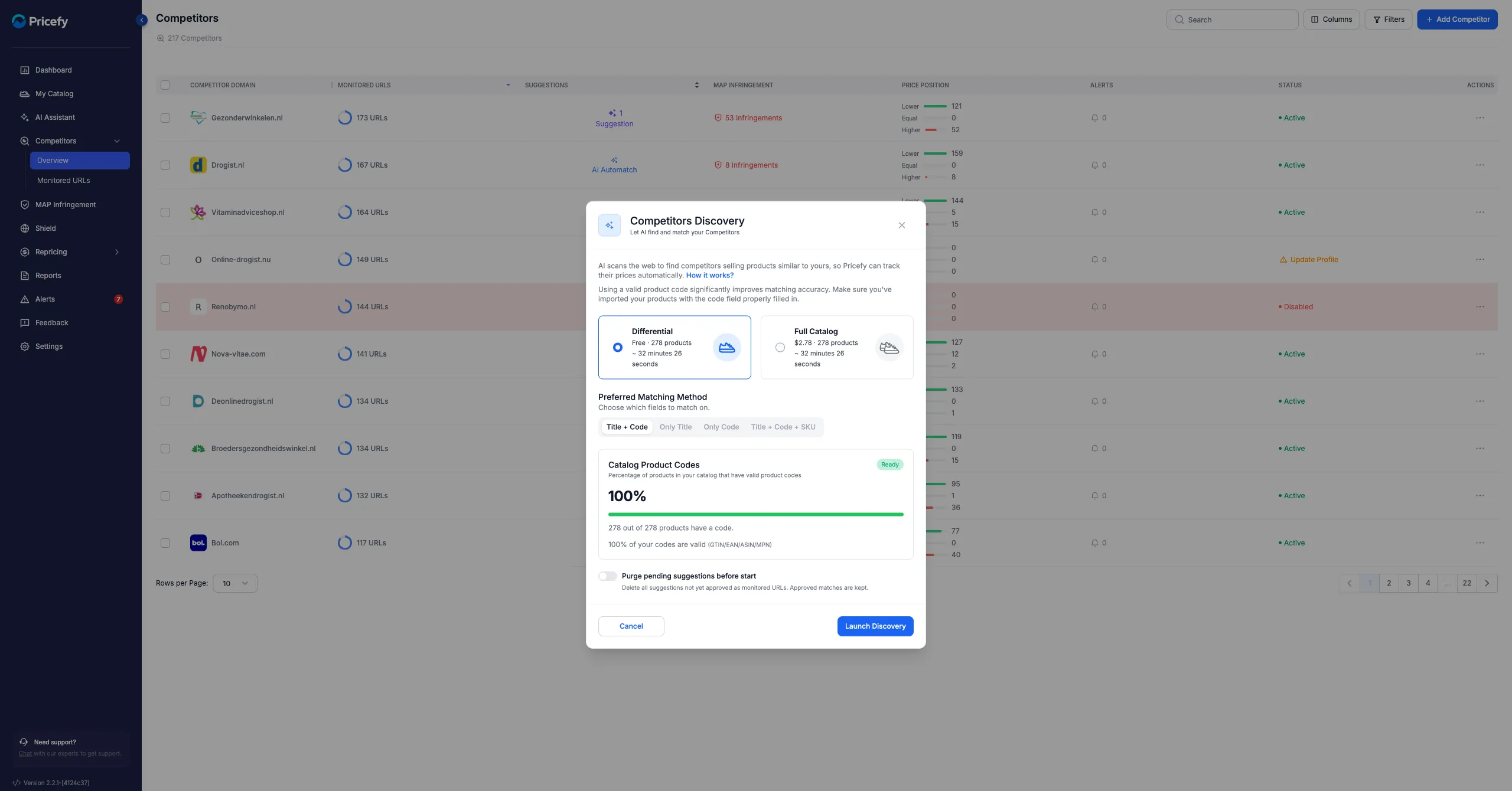
Open the Competitors Discovery window and set it up:
- Differential — scan only new or changed products (free), or Full Catalog — scan your whole catalog.
- Preferred Matching Method — which fields to match on: Title + Code, Only Title, Only Code, or Title + Code + SKU.
- Check the Catalog Product Codes coverage tile — the higher the percentage of valid codes, the better the results.
- Optionally turn on Purge pending suggestions, then click Launch Discovery.
Approve what it finds
When Discovery finishes you’ll be alerted that new competitor suggestions are ready. Review them and approve the right ones to start monitoring — the same way you handle AI Automatch suggestions. Approving a suggestion turns it into a monitored URL.
It keeps running automatically
After the first setup, Discovery runs on its own: every time you update your catalog, Pricefy analyses the new products and looks for fresh competitors.
Get better results
Discovery works best when your products have valid product codes (GTIN/EAN). See also Competitors Discovery for how it works, and whether it overwrites your manual matches.