Migrations (Beta) helps you move into Pricefy from another price-monitoring tool, bringing your setup across.
Open Migrations
Click Settings in the sidebar, then the Migrations tab.
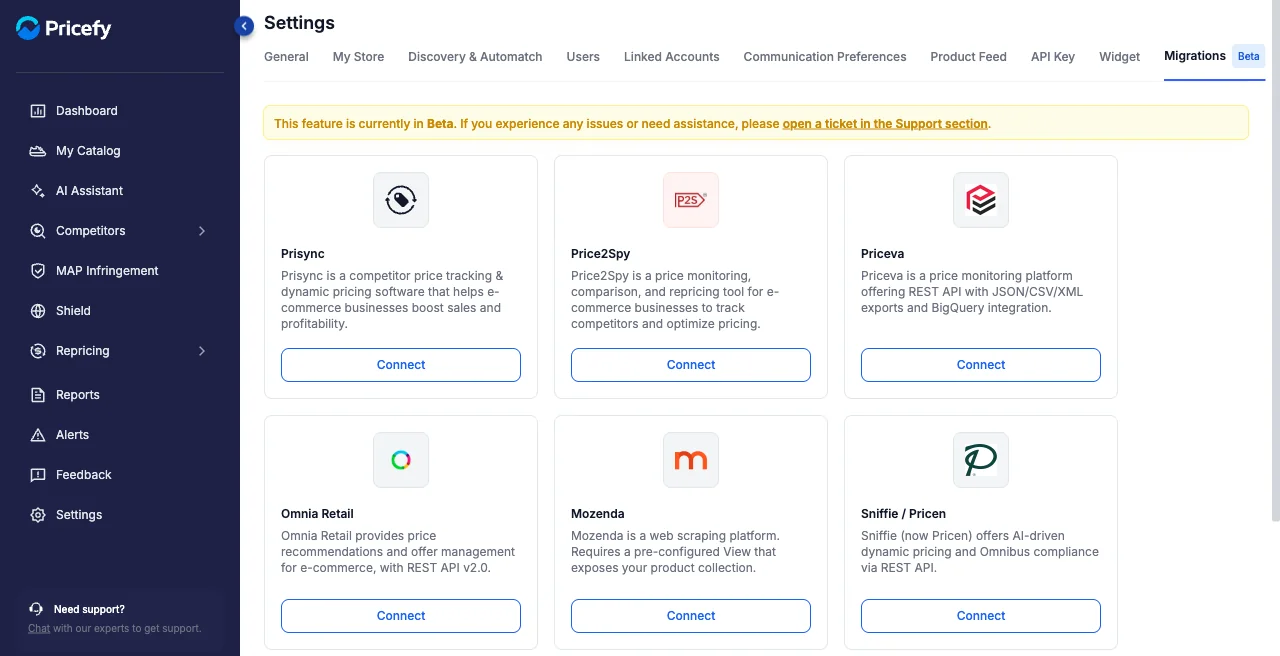
Connect your previous tool
Pick the tool you’re coming from — Prisync, Price2Spy, Priceva, Omnia Retail, Mozenda, Sniffie / Pricen, and more. What happens when you click depends on the tool:
- Connect — for tools Pricefy integrates with directly: a credentials form opens where you enter that tool’s API details (for example its API Key / API Token, or a username and password — the exact fields vary by tool) to start the migration.
- Request migration — for tools without a direct integration yet: this opens the support drawer so the Pricefy team can help you move your setup across.
Migrations is in Beta, and you start the move right from this tab.
Good to know
- This feature is in Beta. If you hit an issue, open a ticket in the Support section.
- Once your products are in, fine-tune what’s imported from Product Feed.