The Usage tab shows how much of your plan you’re using — products, competitors, monitored URLs and more — so you know when you’re close to a limit.
Open Usage
Open My Account from your avatar, then the Usage tab.
Your limits
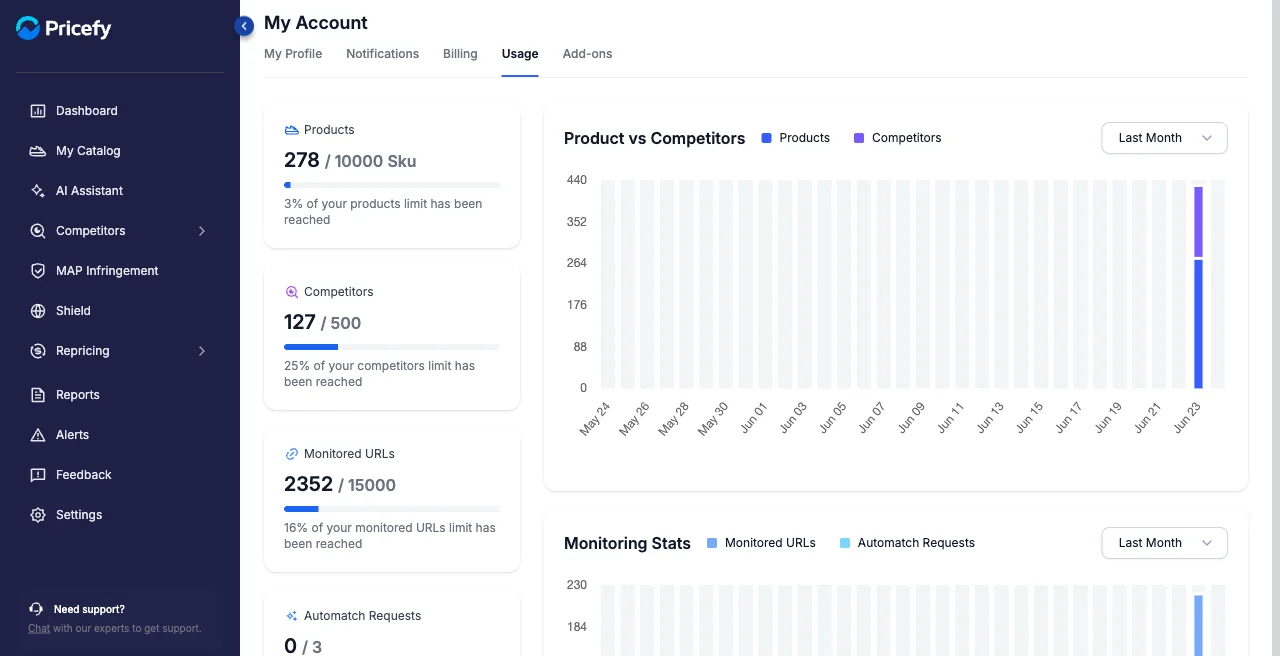
Each card shows what you’ve used against your plan’s limit, with a percentage:
- Products — SKUs imported.
- Competitors — competitors tracked.
- Monitored URLs — competitor URLs monitored.
- Automatch Requests and Single Discovery Requests — AI matching and discovery runs. Automatch Requests cover the Google Results method; Live Scraping analyses are billed per URL instead.
Usage over time
The charts — Product vs Competitors and Monitoring Stats — show your usage trend; switch the range (for example, Last Month).
Good to know
Close to a limit? Upgrade from Billing, or add capacity from Add-ons.