Prefer to watch? This short video walks you through everything in this guide.
Repricing History is a read-only log of every time your repricing rules have run. Use it to see when each run happened, which rule ran, how many products it repriced, and whether it succeeded — then open any run to review the exact prices it set.
It’s part of the Repricing section, alongside Repricing Rules and Repricing Preview.
Open Repricing History
- Click Repricing in the sidebar.
- Click Repricing History.
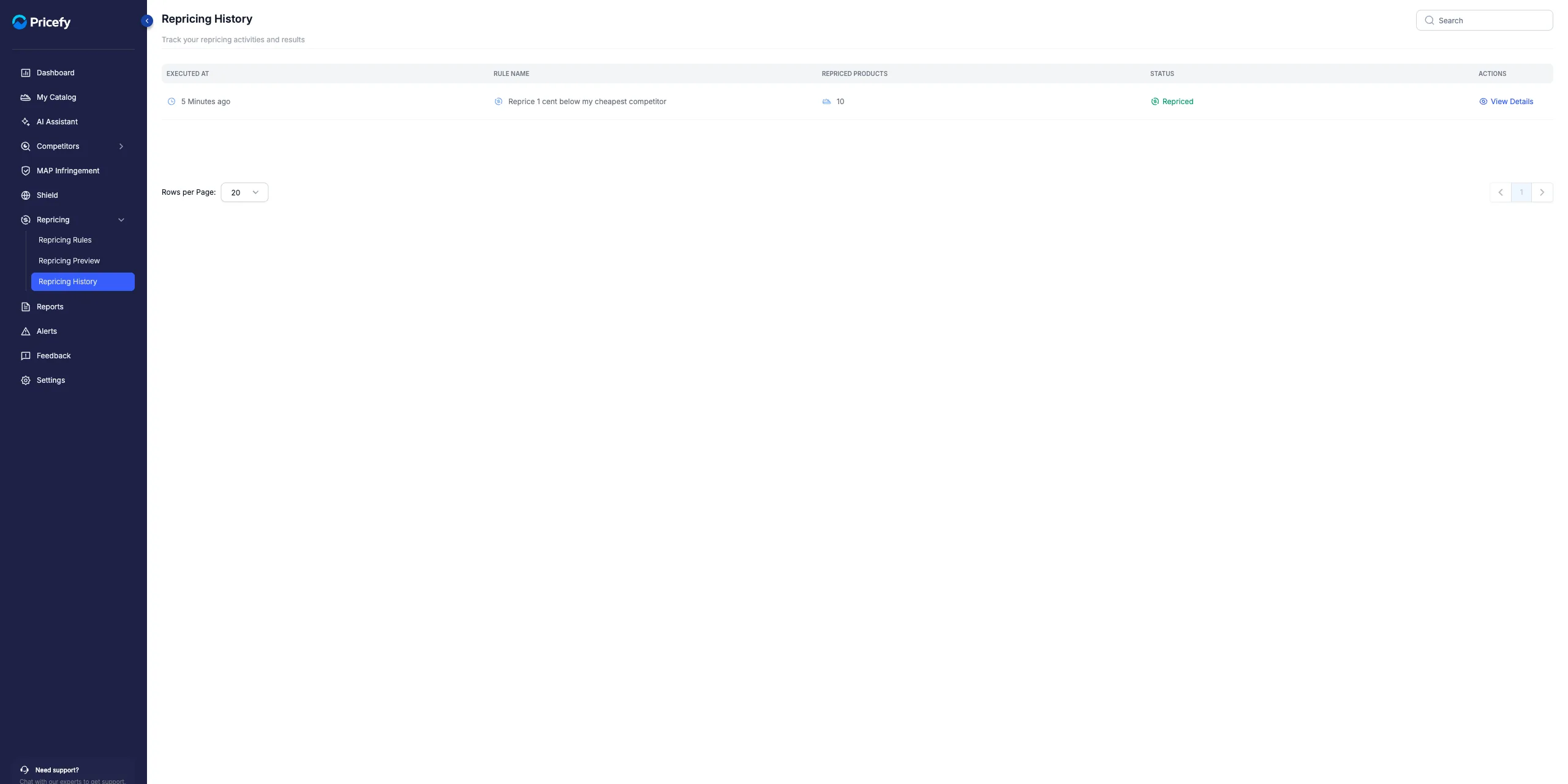
If no rule has run yet you’ll see “No repricing history yet”; the list fills in automatically once repricing starts.
What each run shows
Each row is one repricing run:
- Executed At — when the run started.
- Rule Name — the rule that ran; click it to open that rule in the editor.
- Repriced Products — how many products the run changed; click the number to open the run’s details.
- Status — the outcome of the run (see below).
- View Details — opens the run to see every product it touched.
Run statuses
The Status column tells you how a run ended:
- Repriced — the run finished and the new prices were applied.
- In Progress — the run is still applying prices.
- Scheduled — the run is queued and will start shortly.
- Failed — the run didn’t complete; hover the status to see the error.
Find a past run
- Search (top right) filters runs by rule name.
- Rows per Page and the Previous / Next arrows page through older runs.
Open a run’s details
Click View Details (or the Repriced Products number) on any row to open the run. You’ll see every product it repriced, with its Original Price and the New Price the run applied.
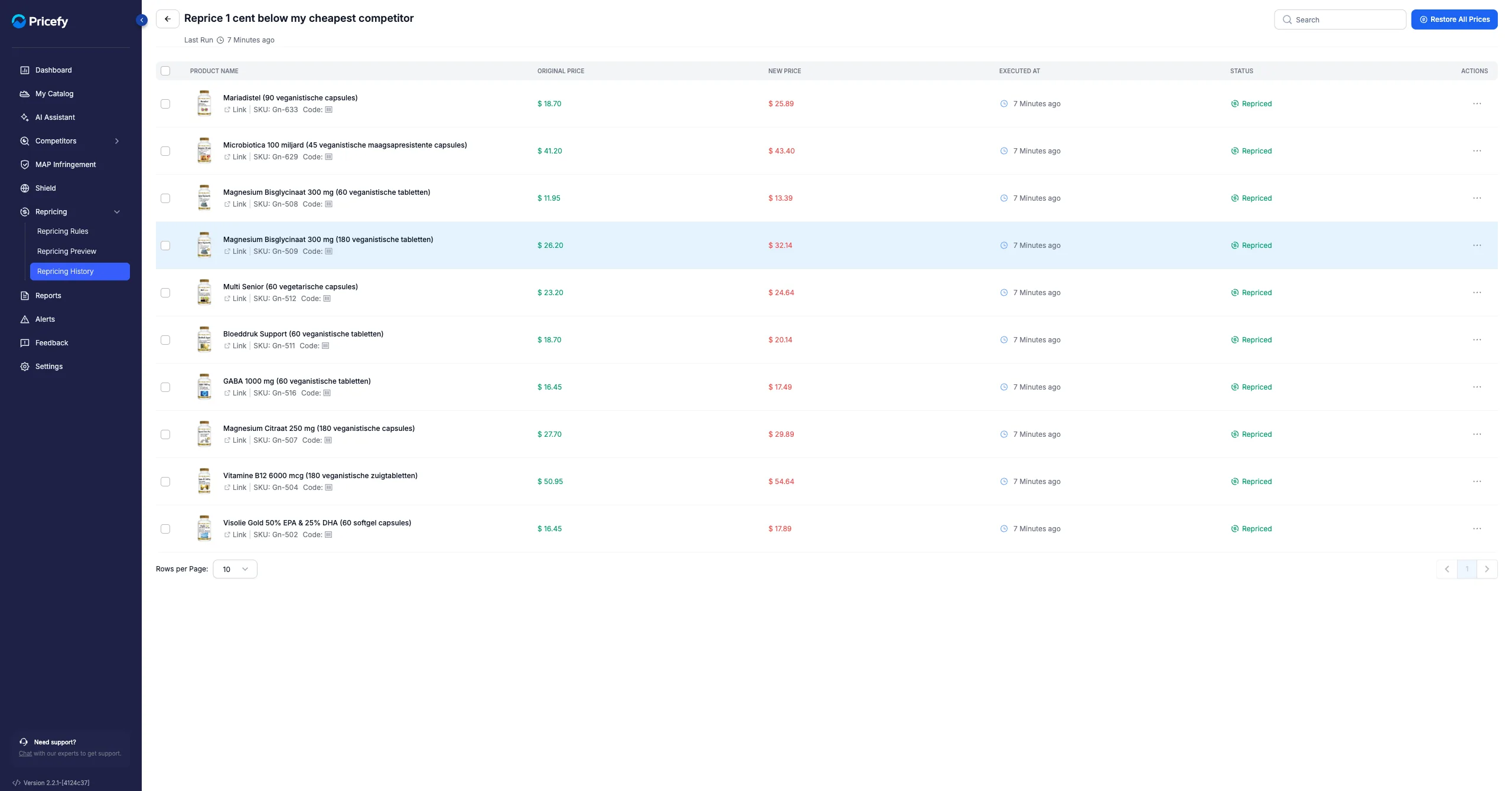
From here you can roll products back to their previous prices — see Restore repriced prices.
Good to know: the History page is read-only — runs can’t be edited or deleted from here.