The Billing tab shows your Pricefy plan, your payment method, your add-ons, and your invoices — all in one place.
Open Billing
Click your avatar at the bottom of the sidebar, then Billing & Upgrades. This is available to the account owner (master user).
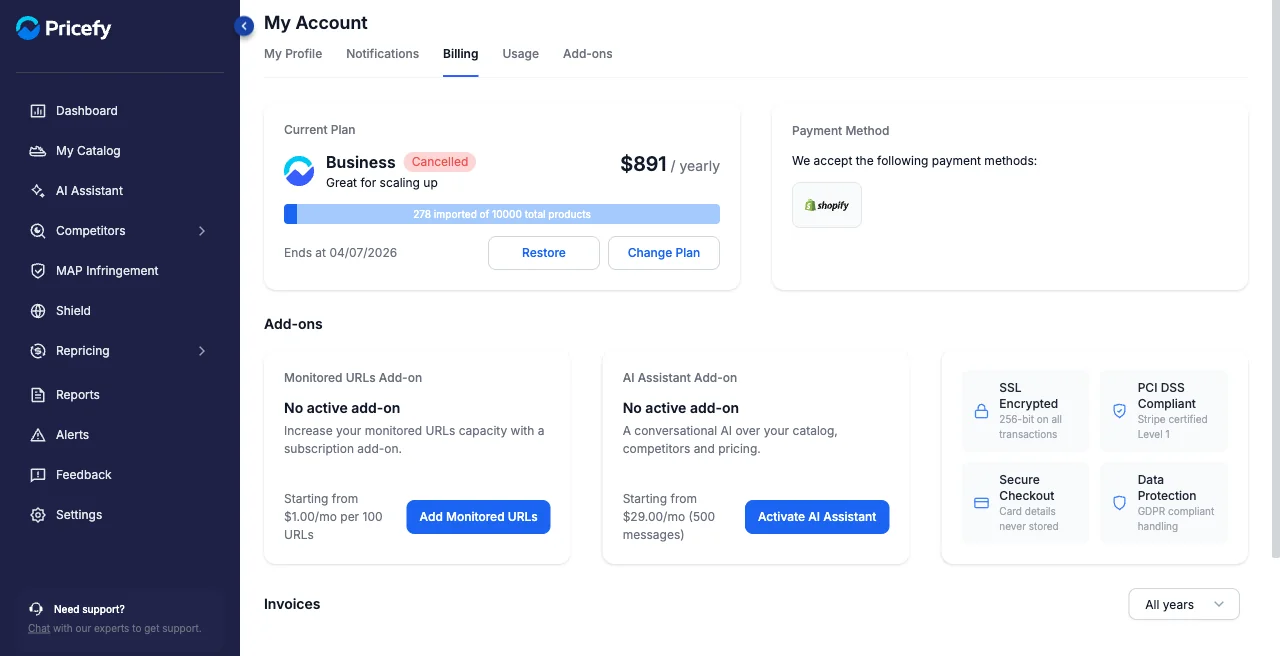
Current plan
See your plan, its price, and how much of your product limit you’ve used.
- Change Plan — opens the Pricing page, where you pick a new plan to upgrade or downgrade.
- Restore — reactivates a cancelled plan (shown only when your plan is cancelled).
To cancel your plan, use Terminate Subscription further down the Billing tab; Pricefy asks you to confirm before anything changes.
Payment method
Your payment method is shown here, with buttons to Add or Edit a card. If you subscribed through Shopify, your main subscription is billed by Shopify — you can still add or change a card here for add-ons.
Add-ons
Boost your plan with extras like the Monitored URLs Limit Increase or the AI Assistant — see Add-ons.
Invoices
Your past invoices are listed at the bottom; filter them by year. Any unpaid invoices appear in a separate pending area with a Pay button.
Good to know
To see how much of each limit you’re using, open Usage.