The General tab in Settings is where you set your account type and your regional defaults — the language, country, and currency Pricefy uses across the app.
Open General settings
Click Settings in the sidebar, then the General tab.
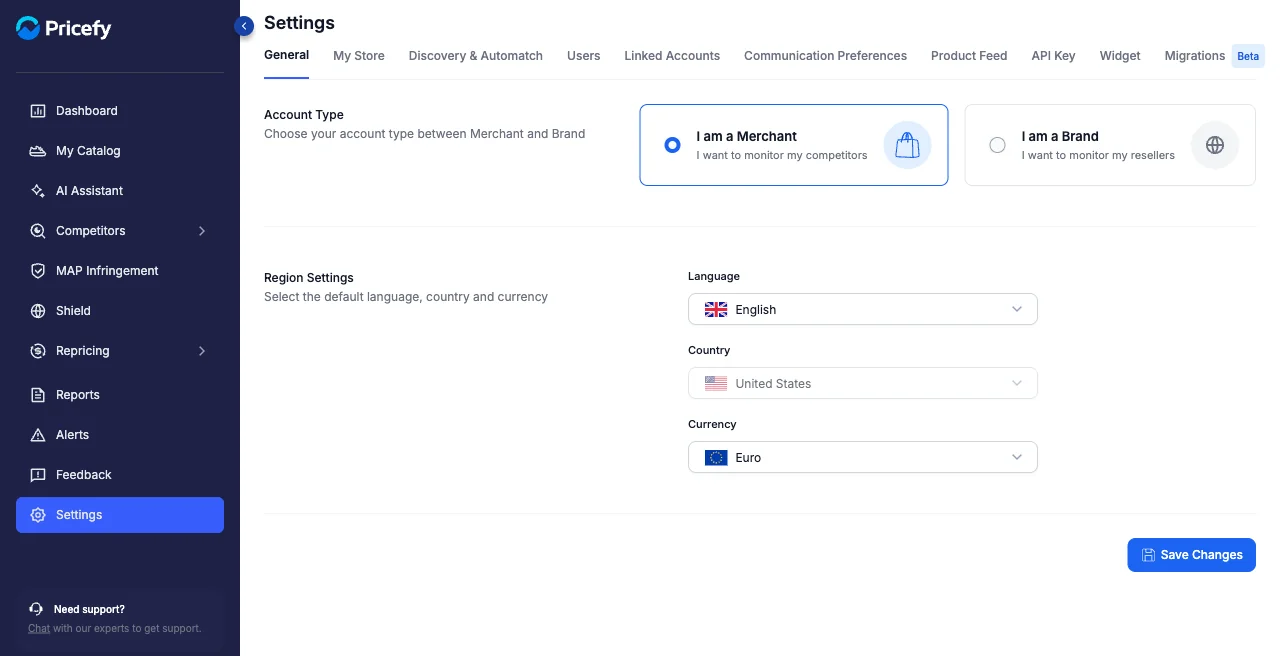
Account Type
Choose how Pricefy works for you:
- I am a Merchant — you want to monitor your competitors.
- I am a Brand — you want to monitor your resellers.
Region Settings
Set the defaults Pricefy uses for prices and formatting:
- Language — the app language.
- Country — your market. Once you save it, the country is locked; to change it later, contact support.
- Currency — the currency prices are shown in.
Country and Currency are required before you can save. Click Save Changes to apply.