Prefer to watch? This short video walks you through everything in this guide.
Restore repriced prices to roll products back to the price they had before a run — one at a time or several together — straight from a repricing run’s detail page.
Open the run
- Open Repricing History and click View Details on the run you want to undo.
Each row shows the product’s Original Price (before the reprice) and the New Price the run applied.
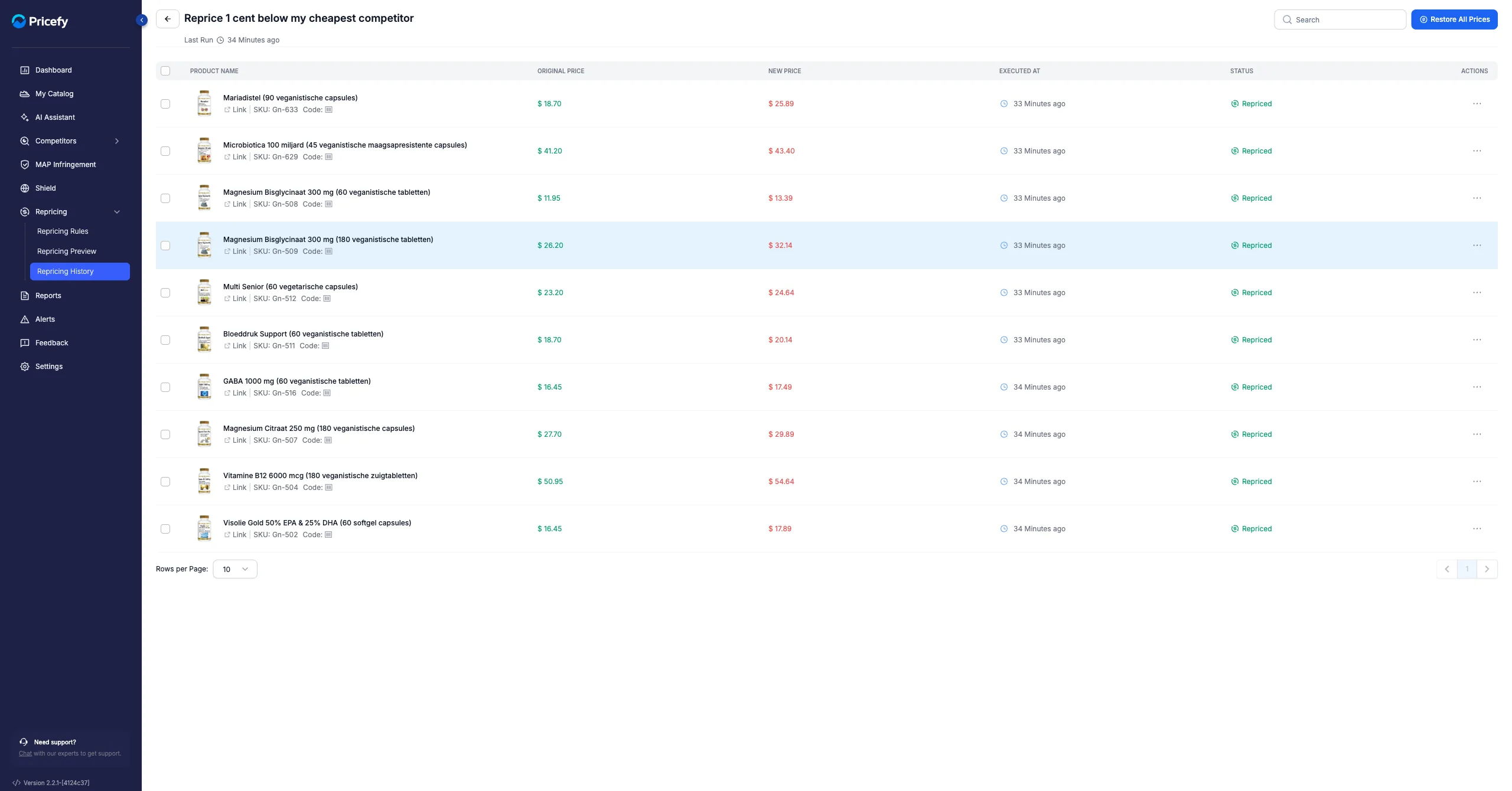
Restore one product
- Open the product’s actions menu (the icon at the end of the row) and click Restore To Original Price.
- Confirm in the dialog.
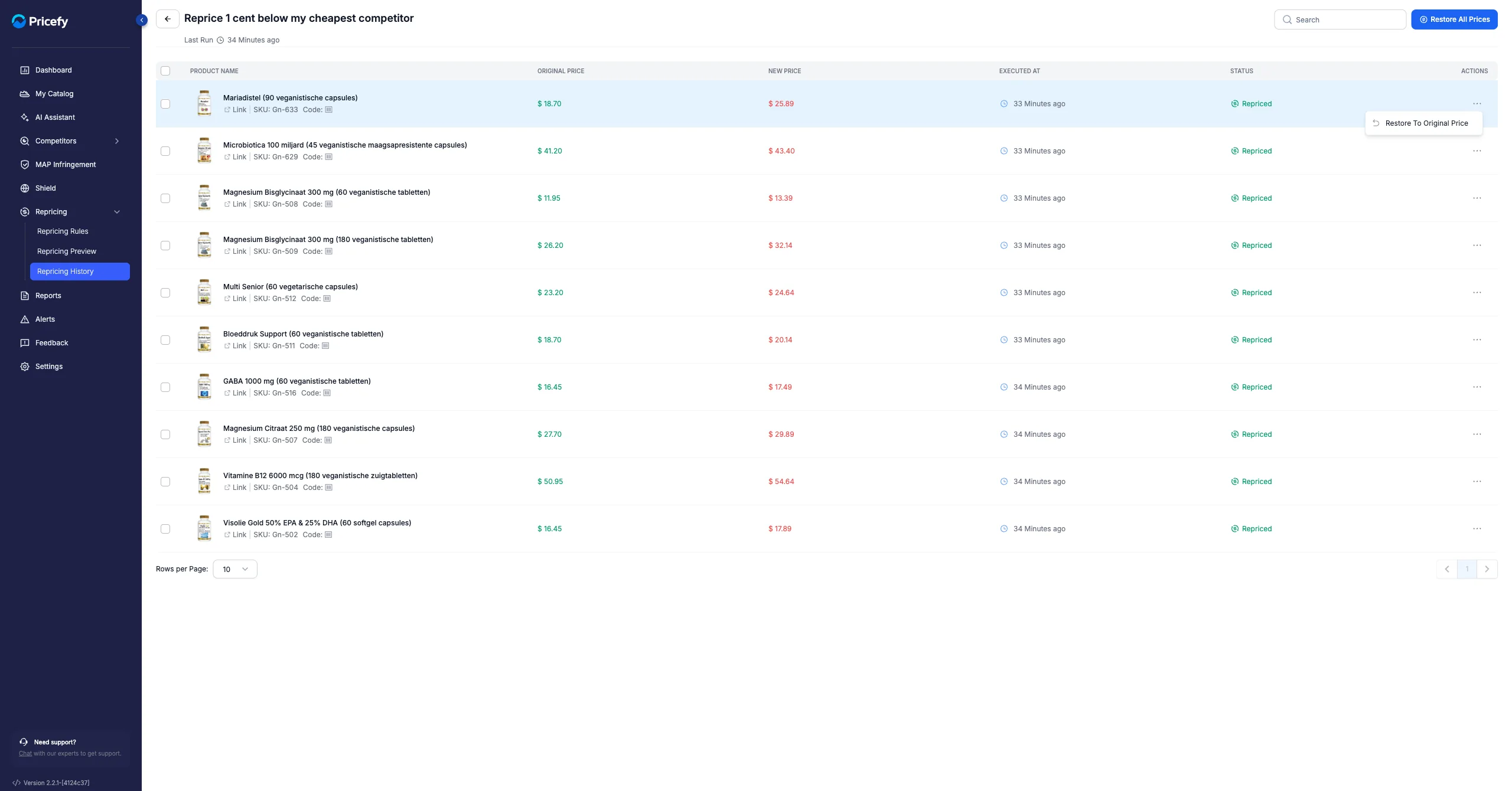
Restore several products
- Tick the products you want to revert (or use the header checkbox to select all).
- Click Restore To Original Price in the selection bar.
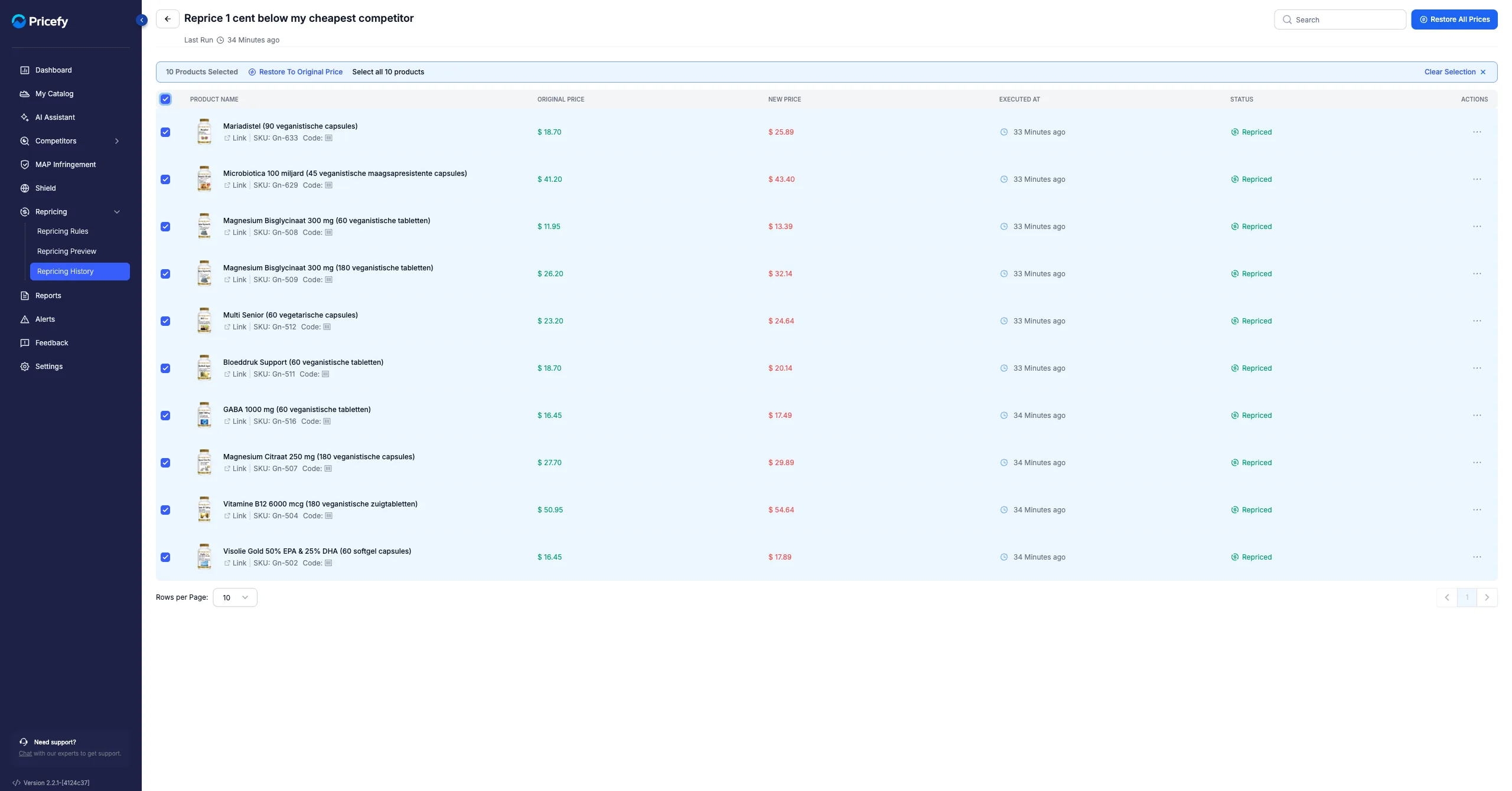
Either way, you confirm before anything changes:
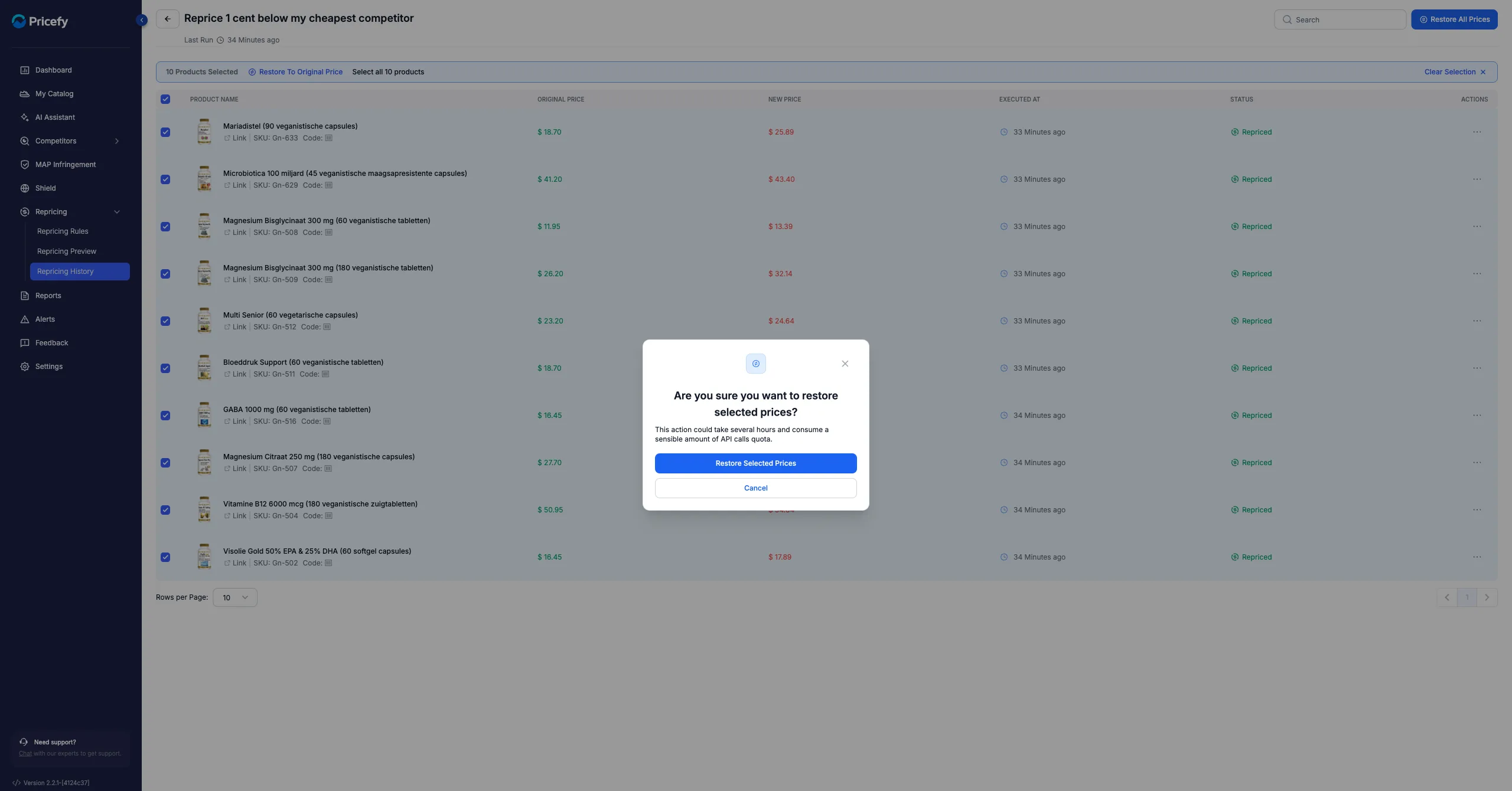
Restoring sets each product’s price back to its pre-reprice value on your store. It runs in the background — a Restoring in progress banner appears while it works (you can Cancel it from there), and when it finishes you’ll see how many products were restored.
Good to know: a large restore can take a while and use some of your API-call quota — the confirmation dialog warns you before you start.